How to calculate a definite integral
Calculate the integral of x² from 0 to 2 and read the exact fraction 8/3 with its decimal approximation.
This article is not available in your language yet, so the English version is shown.
You need the definite integral of a function between a lower and an upper limit. For example, find the area under from to :
Enter the function first, then the two limits. The calculator gives , with a rounded decimal underneath.
Enter the function and both limits
Below each step is the screen you should see after pressing.
Next to each step is the screen you should see after pressing.
-
Step 1
Use the key shown to open the Integral sheet.Press: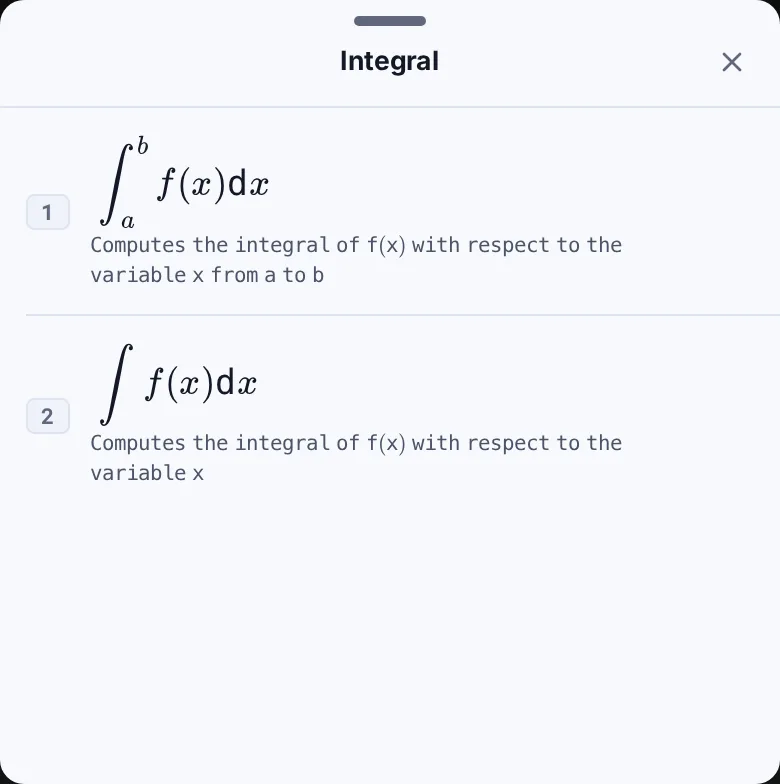
-
Step 2
Tap Computes the integral of f(x) with respect to the variable x from a to b. The template has a function box and two limit boxes; the cursor starts in the function box.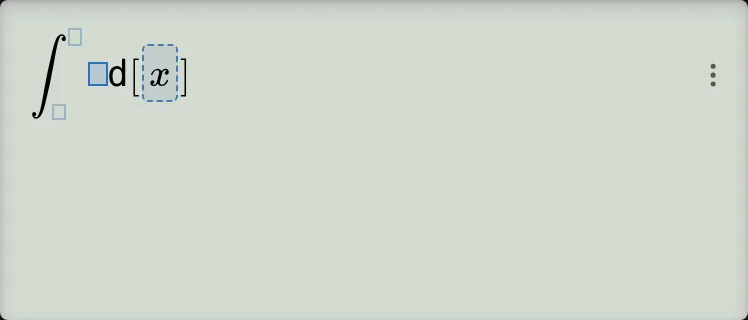
-
Step 3
Enter and square it. Press the right cursor key once to reach the lower limit and enter . Press the right cursor key once more to reach the upper limit and enter . Check that the input is ; the answer already appears below it. The boxed x in d[x] is part of the template; do not type it.Press: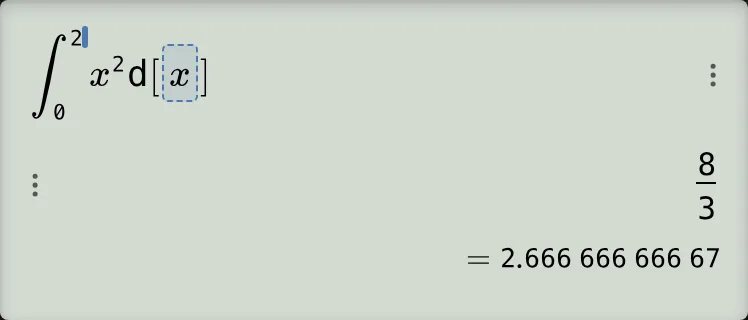
-
Step 4
Press the equals key. Read , with underneath.Press: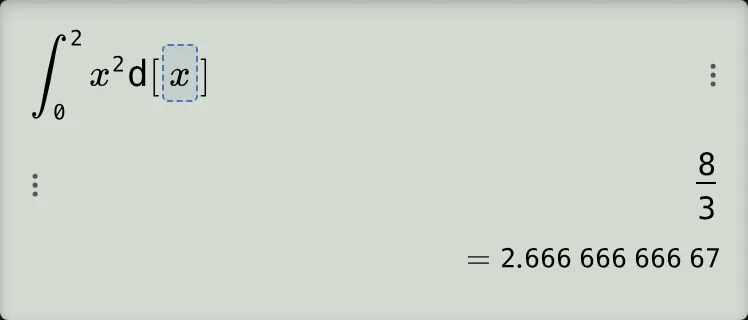
:::steps calculator.definite-integral for=82es 82ex 85cex 82dex 87dex
- Open the mode menu and tap More functions. Under Calculus, tap the ∫ row labelled Integration to open the Integral sheet.
- Tap Computes the integral of f(x) with respect to the variable x from a to b. The template has a function box and two limit boxes; the cursor starts in the function box.
- Enter and square it. Press the right cursor key once to reach the lower limit and enter . Press the right cursor key once more to reach the upper limit and enter . Check that the input is ; the answer already appears below it. The boxed x in d[x] is part of the template; do not type it.
- Press the equals key. Read , with underneath. :::
Read and check the result
The fraction is exact. The decimal is rounded to 11 decimal places, so it is about . You can check the fraction by hand:
Here the curve is above the horizontal axis, so the integral is the area under the curve between the two limits.
If something goes wrong
- The equals key does nothing: check that both limit boxes are filled. With a limit missing, pressing equals produces no result and no error.
- The cursor does not reach the limits after a sine function: close the function's parenthesis after entering . Then press the right cursor key once for the lower limit and once more for the upper limit.
- A trigonometric integral gives an unexpected value: tap the angle-unit chip below the screen to open Angle Unit Mode, choose RADIAN, and tap Confirm. For example, in RAD. The example gives the same result in RAD and DEG.
- The answer is negative: this can be correct. For example, because the curve is below the axis throughout that interval. Its geometric area is .
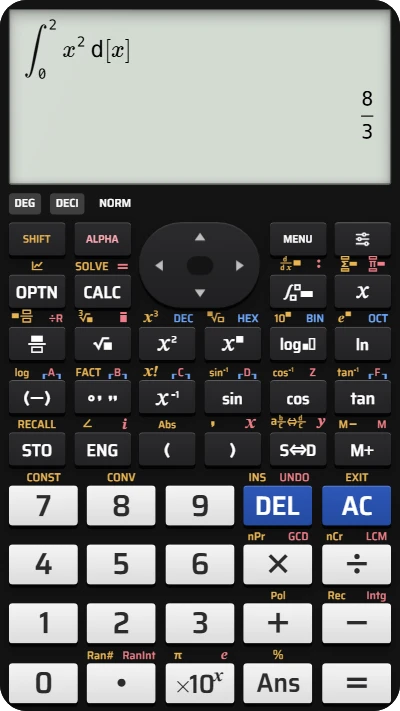
Calculate a definite integral on your fx-991EX calculator
Enter x² with limits 0 and 2 to find the exact value 8/3 and its decimal approximation.