8 Best Scientific Calculators Online for Casio Users
Compare eight online sci cals for fx-991ES PLUS and fx-570ES PLUS users: familiar-style keys first, then exact answers, worked steps and graphs.
If you learned trigonometry on a Casio fx-991ES PLUS or fx-570ES PLUS, a blank equation box is a poor replacement for your sci cal. CalcES lets you choose an ES PLUS-style keypad to practise familiar scientific input, then open supported solution steps and a graph from the same result. That combination puts it first here. We also show when the official Casio emulator or a specialist tool is the better choice.
We compared eight established online options on 24 September 2026. Some are free to use; Casio's own emulator requires a license. CalcES is published by MathDa, the publisher of this article. There are no paid positions or affiliate links.
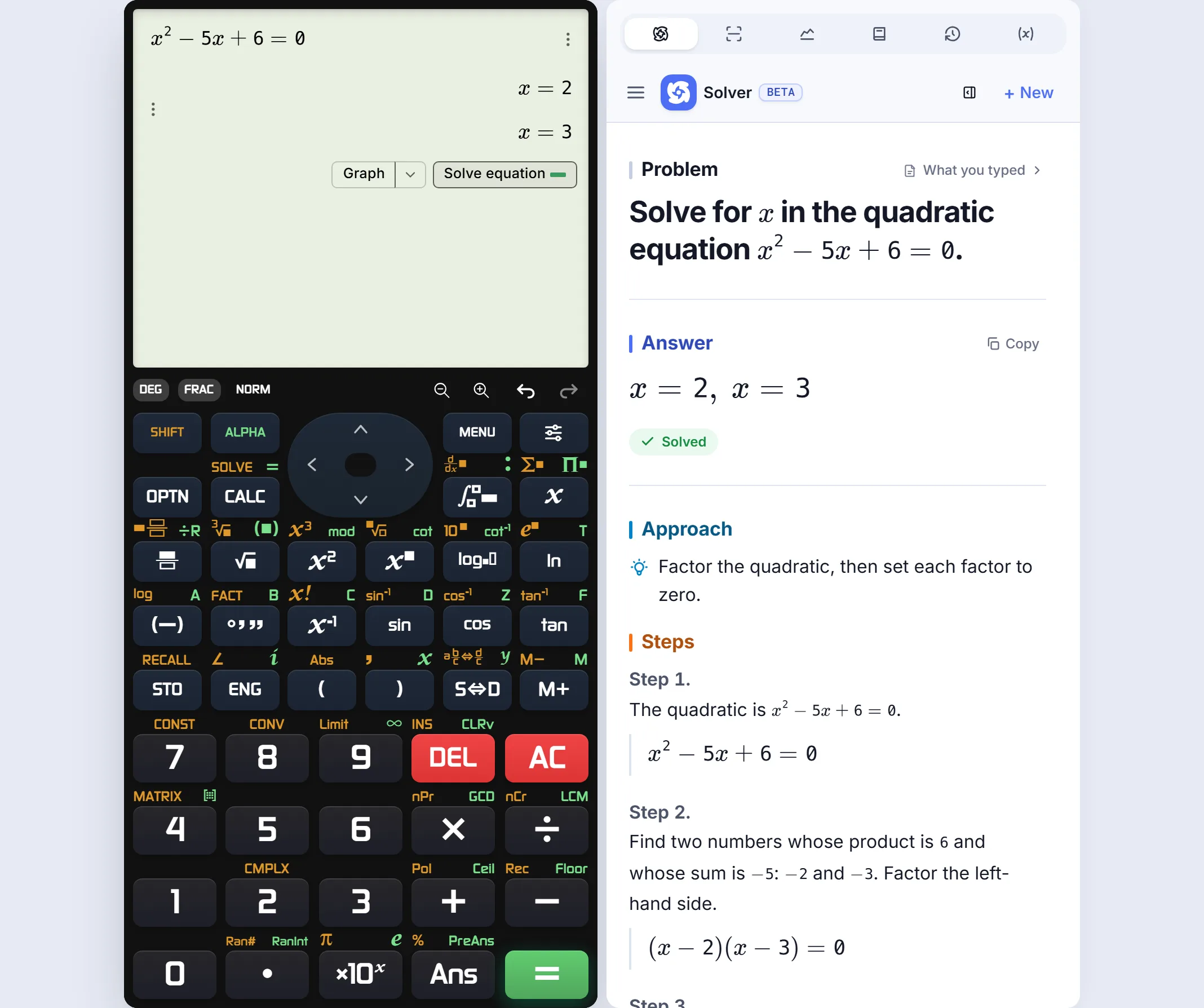 Real EX-style keypad and English worked-solution example; select ES PLUS separately for fx-991ES PLUS or fx-570ES PLUS practice.
The short answer for Filipino students
| Rank | Calculator | Why you might choose it | Handheld-style practice |
|---|---|---|---|
| 1 | CalcES | ES PLUS-style keys, natural input, then supported steps and graphs | Strongest free fit for the 991ES PLUS / 570ES PLUS user here |
| 2 | Casio ClassWiz Emulator | Official model practice for listed EX/CW machines | Exact supported model, with account and license |
| 3 | Desmos Scientific | Clear everyday scientific entry | Its own tabbed keypad, not an ES PLUS layout |
| 4 | Calculator.net Scientific | Quick calculations on visible scientific buttons | Conventional keypad, not model-specific |
| 5 | Symbolab | Worked algebra and calculus | Solver-first rather than handheld practice |
| 6 | GeoGebra Calculator Suite | Graphs, algebra and geometry together | Visual workspace rather than handheld practice |
| 7 | Mathway | Guided answers across school subjects | Problem-entry workflow |
| 8 | WolframAlpha | Broad computation and reference questions | Query-driven workflow |
This order is for someone who wants a scientific calculator online that can stand in for familiar handheld practice after class. If your assignment is mainly graphing or a written derivation, a specialist lower in the list may be the better tool.
Which keypad matches the one in your bag?
The fx-991ES PLUS and fx-570ES PLUS belong to the ES PLUS family. On CalcES, choose the ES PLUS-style keypad for that family; the separate EX-style layout suits fx-991EX users. The point is practical: when your notes say to enter a fraction, switch angle units or work through an equation, you can practise with keys and an input layout closer to the machine you know instead of learning a generic text box.
Casio's own guide to Natural Display shows why stacked fractions and textbook-style functions matter on these models. CalcES also displays a fraction, root or integral in natural mathematical form. It can keep useful exact answers and show a decimal when you need one.
If your priority is precisely the buttons and menus of a supported fx-991EX or CW model, the browser-based official Casio ClassWiz Emulator is the more direct choice; it requires an account and license. For ES PLUS, Casio has a separate fx-ES PLUS Emulator for Windows that lists second-edition fx-570/991ES PLUS models. Casio advertises a 90-day trial of its PC emulators, followed by license terms. The Windows program is worth knowing about for exact model practice, but it is not another online calculator in this ranking.
A class problem, not a calculator contest
Take from a senior-high algebra sheet or an engineering review problem. A quick result gives and ; a useful study tool lets you follow the question further.
- Enter and calculate. Work from the CalcES scientific keypad, with the model family that fits your handheld.
- See the method. For this supported equation, Solve equation under the result opens Tales Math Solver with the working. You do not have to type the equation again.
- Check the picture. Graph under the same result plots ; its two x-axis crossings match the roots. The graphing calculator offers a larger view.
These are two views of one tablet session. The keypad and answer stay visible while the side panel changes from steps to graph.
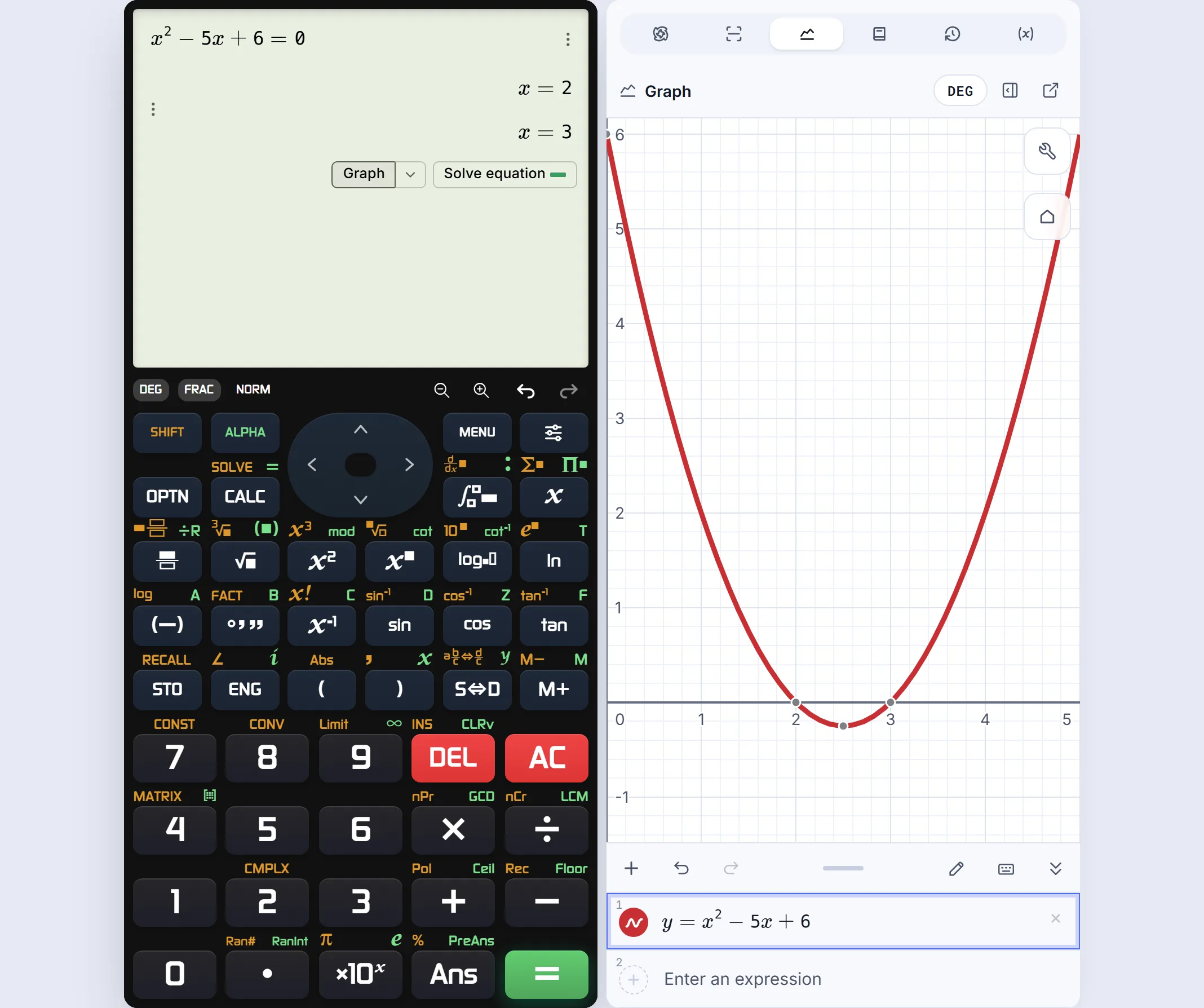 The Graph button carries the same quadratic into the adjacent graph.
That handoff is why CalcES ranks first for study. It does not suggest every expression has worked steps; use the buttons available under the particular result.
The other choices, by the job they do
Desmos Scientific is easy to open for fractions, roots and trigonometry. Its user guide explains the tabbed keypad and the Fraction button: a calculation may first display as a decimal, then switch to fraction form. It is a fine general sci cal, but its keys do not rehearse an ES PLUS layout. Graphing lives in a separate Desmos calculator.
Calculator.net Scientific presents a conventional grid of scientific buttons. It suits a short numerical check when matching a particular handheld is less important. It showed a correct decimal for in our public-page check.
Symbolab and Mathway are better choices when the teacher asks for the method. Symbolab showed with fraction working and symbolic calculus results in our checks; Mathway showed and a common-denominator cue. The amount of free worked detail can vary by problem and service. Neither is the obvious place to rehearse a pocket-calculator key sequence.
GeoGebra starts to win when the graph is the lesson: drag a point, change a coefficient and see the curve move. Its Calculator Suite puts algebra, graphing and geometry in connected views. WolframAlpha is strongest here for broad mathematical and scientific questions that go beyond a conventional sci cal. Both are valuable, but they solve a different first problem from “I need my familiar keypad.”
What the extra maths is good for
A handheld-style interface should still handle real homework. CalcES returned for and for in our checks. For an integral such as , it kept the exact answer instead of only a rounded decimal.
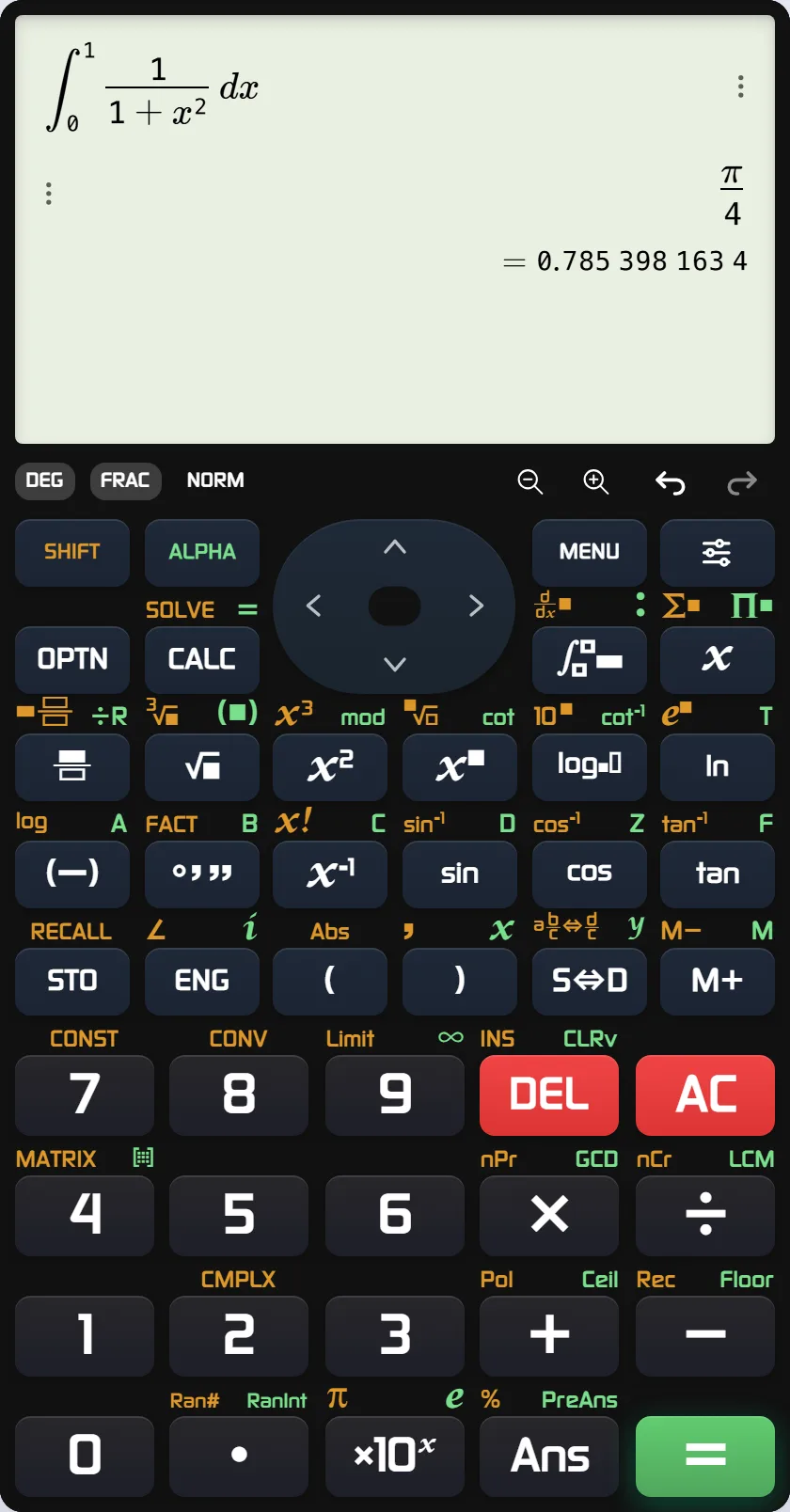 An EX-style CalcES session with a textbook-style integral and exact result; the ES PLUS-style keypad is a separate setting.
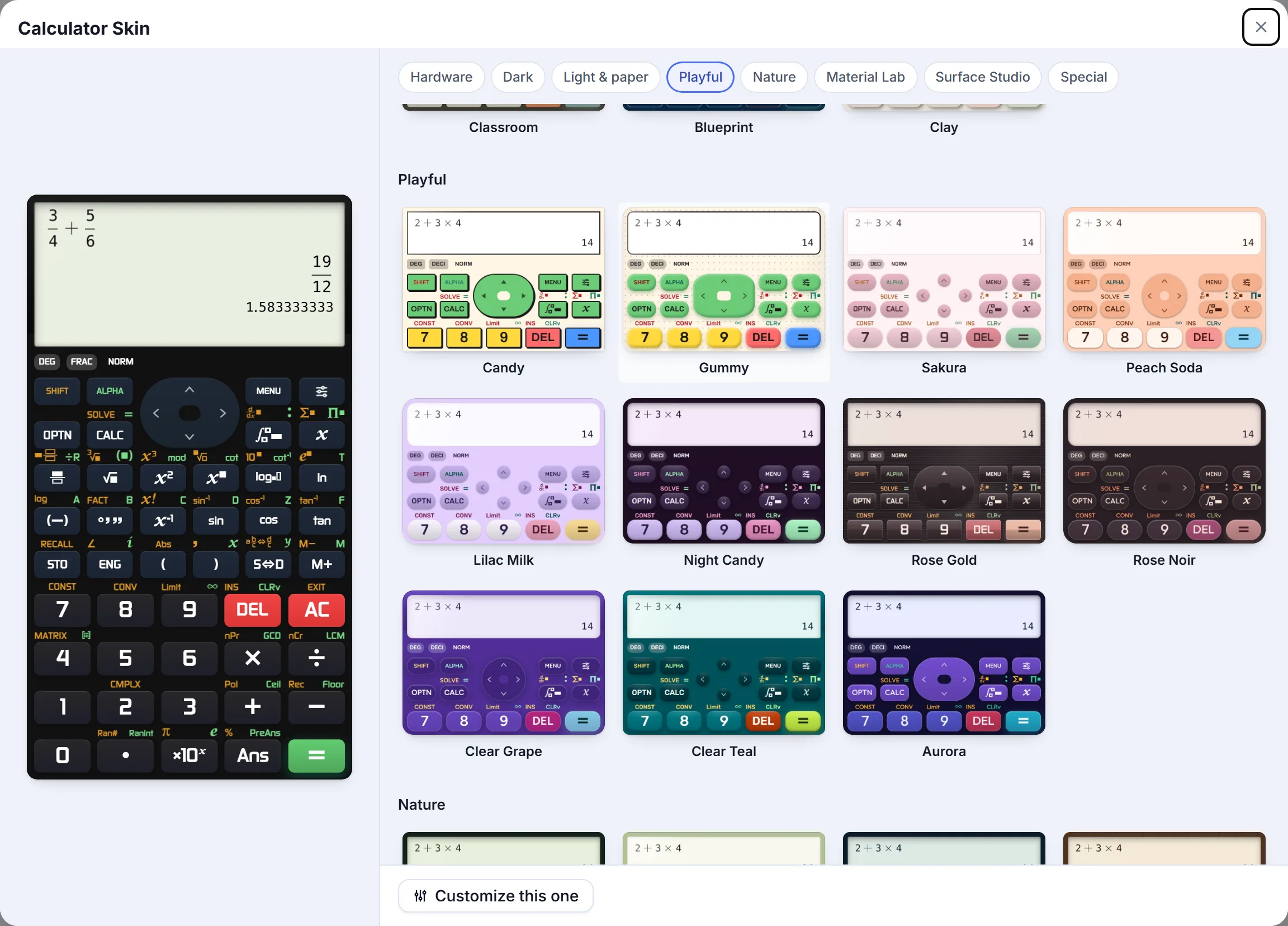 Calculator skins change the look; choose the keypad family separately to match your handheld.
Changing the skin is personal; choosing the keypad family is the decision that helps you practise the right style of input.
For an fx-991ES PLUS or fx-570ES PLUS owner who wants to work online, start with the ES PLUS-style keypad on CalcES. For exact second-edition ES PLUS model practice on Windows, check Casio's separate PC emulator. For a listed EX/CW model in the browser, check Casio ClassWiz; for a graph-first lesson, choose GeoGebra or Desmos Graphing.
CalcES is an independent MathDa product. It is not affiliated with or endorsed by Casio; Casio and its model names are trademarks of their respective owner.
Frequently asked questions
Which online scical feels most like an fx-991ES PLUS or fx-570ES PLUS?
CalcES is our free online pick: select its ES PLUS-style keypad for familiar input, then use supported steps and graphs. It is an independent MathDa product. Casio also offers a separate fx-ES PLUS Emulator for Windows, including second-edition fx-570/991ES PLUS models; its browser ClassWiz Emulator covers listed EX/CW models.
Is there a sci cal online with SHIFT SOLVE and solution steps?
CalcES has a familiar-style scientific keypad and equation-solving controls. For supported problems, a button under the result opens worked steps in Tales Math Solver without retyping the expression. A result and its worked explanation are separate views; check the specific problem you need.
Can I use CalcES to practise for a board exam?
Use it to study before the test, then check calculations and key sequences on your own permitted handheld. An online calculator is not a substitute for the equipment rules of your school or examination body.
What if I mainly need graphs rather than handheld keys?
GeoGebra and Desmos Graphing are strong graph-first choices. CalcES is the better fit in this comparison when you want a familiar scientific keypad, supported solution steps and a graph connected to the same calculation.