Find the determinant and inverse of a matrix
Enter a 2 by 2 matrix once, then calculate its determinant and exact inverse.
この記事はまだ日本語版がないため、英語版を表示しています。
Need the determinant and inverse of the same matrix? Store it once as MatA, then use it for both calculations. Try:
Enter the matrix and calculate both results
Below each step is the screen you should see after pressing.
Next to each step is the screen you should see after pressing.
-
Step 1
Open the mode menu and tap Matrix. A blank calculation line appears.Press: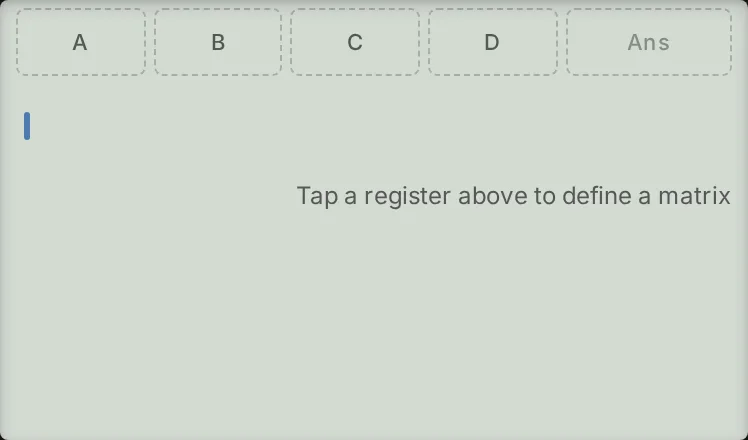
-
Step 2
Open the matrix sheet using the key shown, then tap Create on the MatA row. The editor opens with a grid of zeros.Press: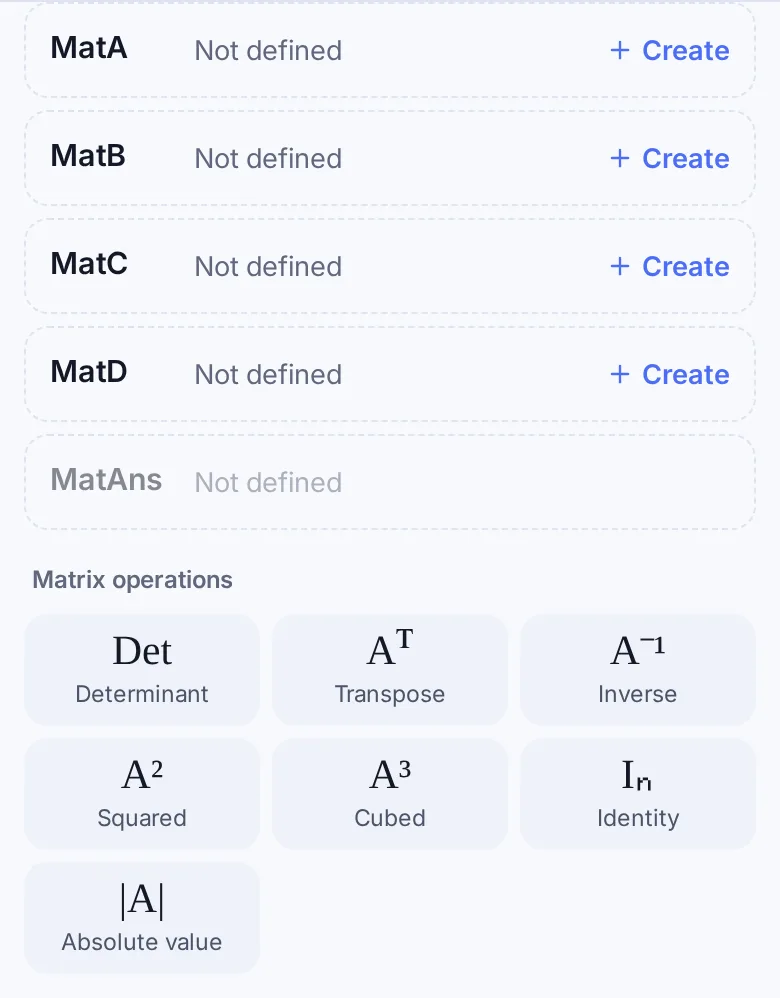
-
Step 3
Enter , , , then , pressing the equals key after each number. The cells fill across the first row, then across the second row.Press: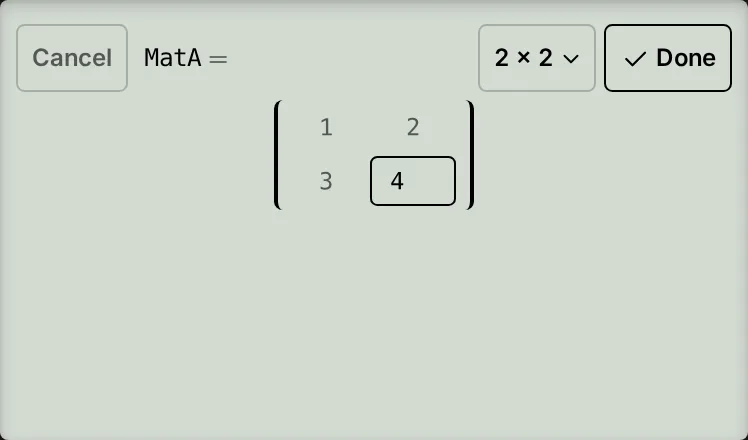
-
Step 4
Tap Done to store MatA and return to the calculation line.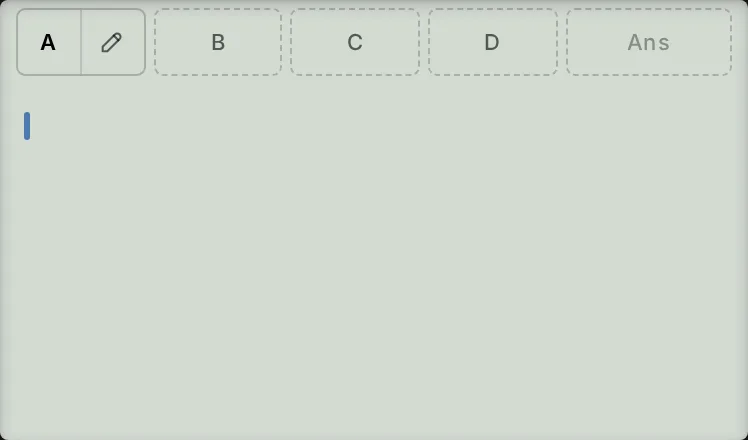
-
Step 5
Open the matrix sheet and tap Determinant. Insert MatA by tapping A above the line (if the chips are hidden, reopen the sheet and tap MatA). Close the parenthesis and press the equals key. Det(MatA) gives .Press: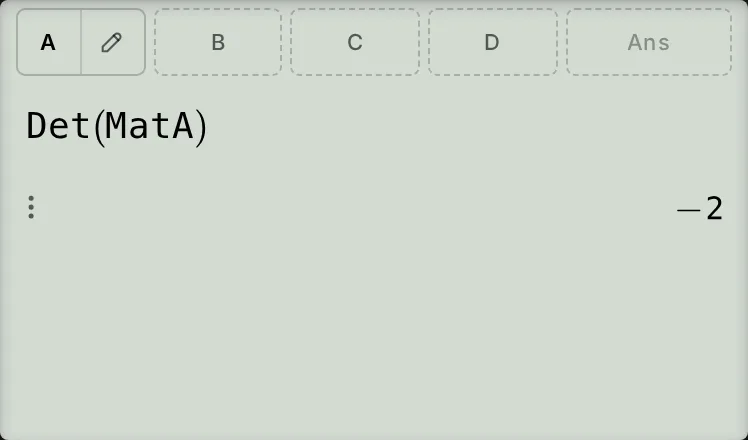
-
Step 6
Tap A again (or reopen the sheet and tap MatA) to start a new line. Press the keys shown for , then press the equals key. The line reads and the result is a matrix.Press: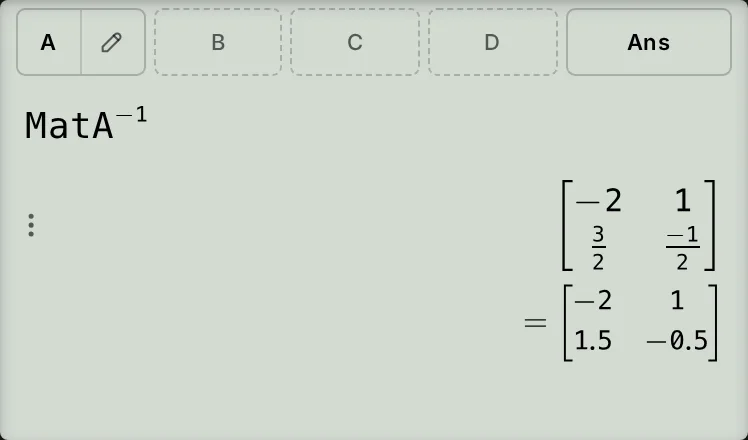
Check the determinant and read the inverse
For this matrix, check the determinant by multiplying along each diagonal and subtracting:
The inverse is:
On the line below the exact inverse, the calculator writes the same matrix in decimals by itself, so you can read either form without converting: the bottom row appears there as .
Multiply two matrices
Open the matrix sheet and tap Create on the MatB row. Enter , , , then , pressing the equals key after each number, and tap Done. Using MatA from above, insert MatA, press , insert MatB, then press the equals key.
The product is stored in MatAns, the matrix that the Ans chip stands for. Order matters: MatB × MatA gives rows and , which differ from MatA × MatB.
If something goes wrong
- MatA already contains a matrix: tap its pencil in the chip row or matrix sheet to edit the stored cells, then tap Done.
- Your changes were not stored: only Done stores the matrix. Cancel, Escape or EXIT leaves the stored matrix unchanged, even if you pressed the equals key after entering cells.
- Dimension ERROR for the determinant and the inverse: the matrix must be square. Check that it has the same number of rows and columns.
- Dimension ERROR when multiplying matrices: the number of columns in the first matrix must equal the number of rows in the second matrix.
- Math ERROR when finding the inverse: a matrix with determinant has no inverse.
- Not Defined: the line refers to an empty register. Enter the matrix and tap Done before using it.
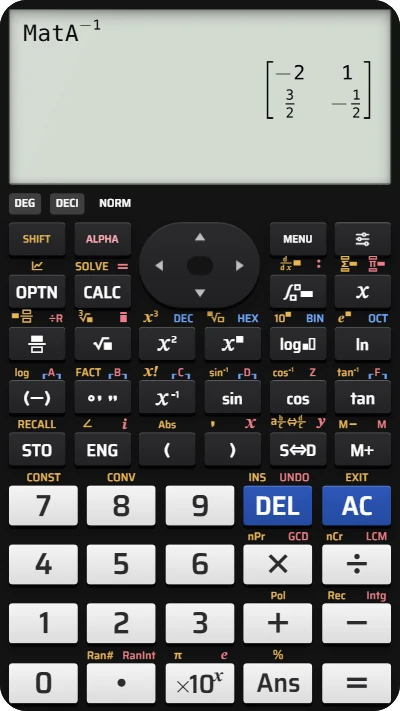
Find a matrix determinant and inverse on fx-991EX
Enter the matrix with rows 1, 2 and 3, 4, then find its determinant and exact inverse.