Multiply complex numbers and find the modulus and polar form
Multiply (2 + 3i)(1 - i) to get 5 + i, then find its modulus and polar form.
Este artigo ainda não está disponível em português. A versão completa em inglês é exibida.
You need to multiply two complex numbers, then give the modulus and polar form of the answer. Try:
Here is the imaginary unit, with .
Multiply, then switch the answer to polar form
Below each step is the screen you should see after pressing.
Next to each step is the screen you should see after pressing.
-
Step 1
Open the mode menu and tap the Complex tile. The calculation screen stays, with an i chip in the function bar.Press: -
Step 2
Enter , keeping both pairs of parentheses. Use the key sequence shown for each . The live preview below the input already shows .Press: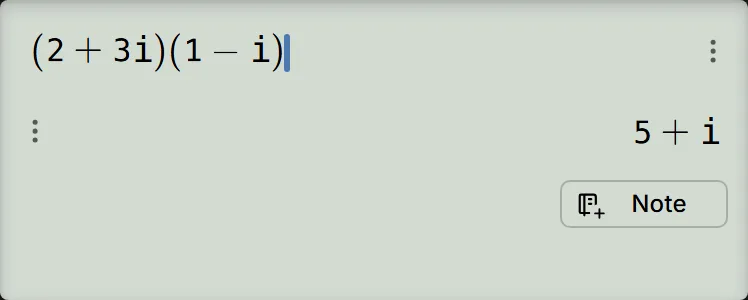
-
Step 3
Press the equals key to finish the calculation. The result is .Press: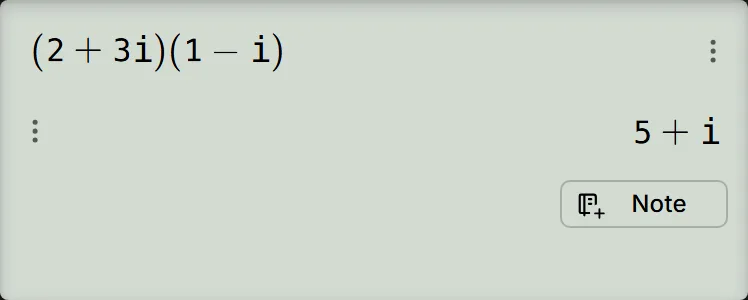
-
Step 4
Tap the i chip in the function bar. It changes to ∠, and the answer is shown in polar form. With DEG selected, the result is .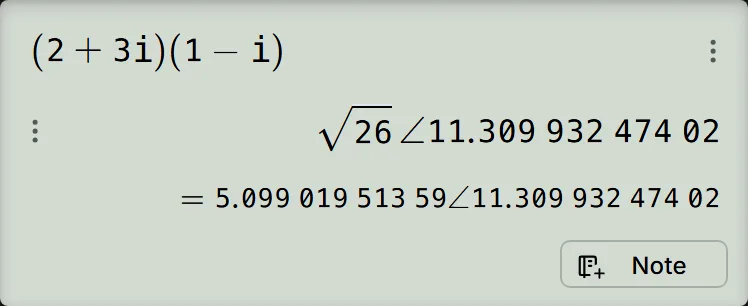
Read and check the result
Expand the product using :
In polar form , is the modulus, or distance from zero, and is the angle. For :
With DEG selected, the polar result is . The second line shows the same result with a decimal radius: . So the modulus is , about , and the angle is about . The screen groups long decimals in threes, so is .
The chip rewrites the answer already on screen; it does not calculate the line again. Tap it once more to return to . Every later answer is written the way the chip shows until you switch it back.
The app stays on, even after a reload. To return to ordinary calculations, open the mode menu and tap the Calculate tile.
If your screen looks different
- The polar angle is different: check the angle-unit chip. A first-time visitor's calculator starts in RAD. In radians, this example gives , with decimal angle . That is the same direction as .
- There is no i chip in the function bar: the Complex app is off. You can still type on the ordinary calculation screen, but only the app's chip switches answers to polar form. Open the mode menu and tap the Complex tile.
- An imaginary coefficient appears after i: the calculator can print for . These mean the same thing; the coefficient is still .
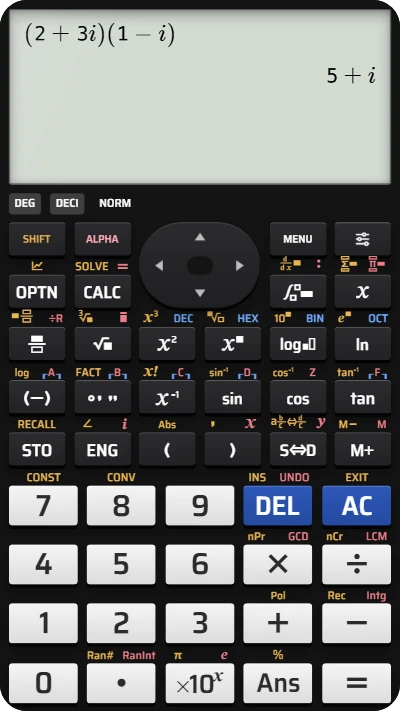
Multiply complex numbers on your fx-991EX calculator
Work through (2 + 3i)(1 - i), then find the modulus and polar form of 5 + i.