See the roots and vertex of a solved equation on its graph
Solve x² − 5x + 6 = 0, open its parabola, and read the coordinates of its roots and lowest point.
This article is not available in your language yet, so the English version is shown.
You have solved a quadratic equation and want to see where its roots lie on the parabola and where the curve reaches its lowest point. Use this example:
You will graph , then read its two roots and its vertex, the lowest point of this parabola. If you need more help with the coefficient entry, see solve a quadratic equation.
Solve the quadratic and open its graph
Below each step is the screen you should see after pressing.
Next to each step is the screen you should see after pressing.
-
Step 1
Open the mode menu and tap Equation, then, under Polynomial, choose Solve polynomial equation (degree 2). The coefficient row appears with selected.Press: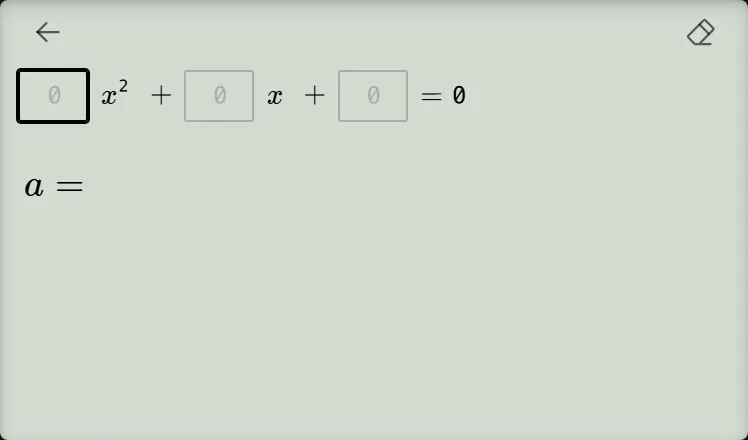
-
Step 2
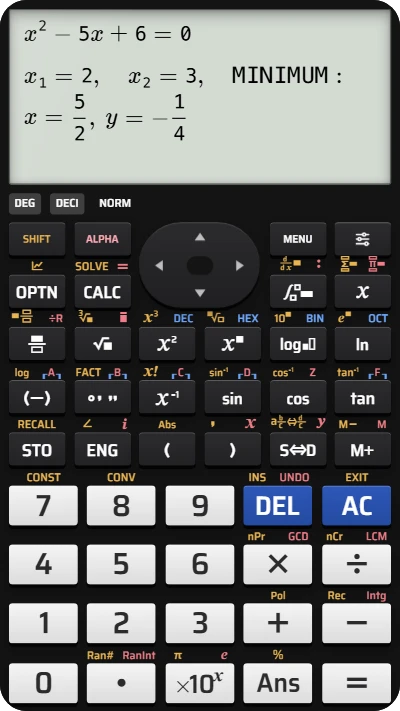
Enter for and press the equals key. Use the negative-sign key to enter for and press the equals key, then enter for and press the equals key. The result shows , and MINIMUM at , . A Graph button appears below the result.Press: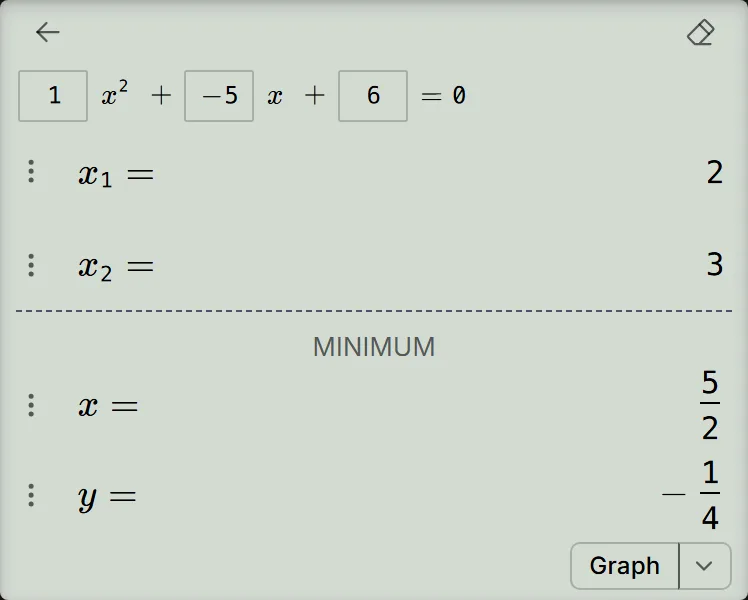
-
Step 3
Tap Graph below the result. The graph opens with and three small grey dots; the view adjusts to include the roots and vertex.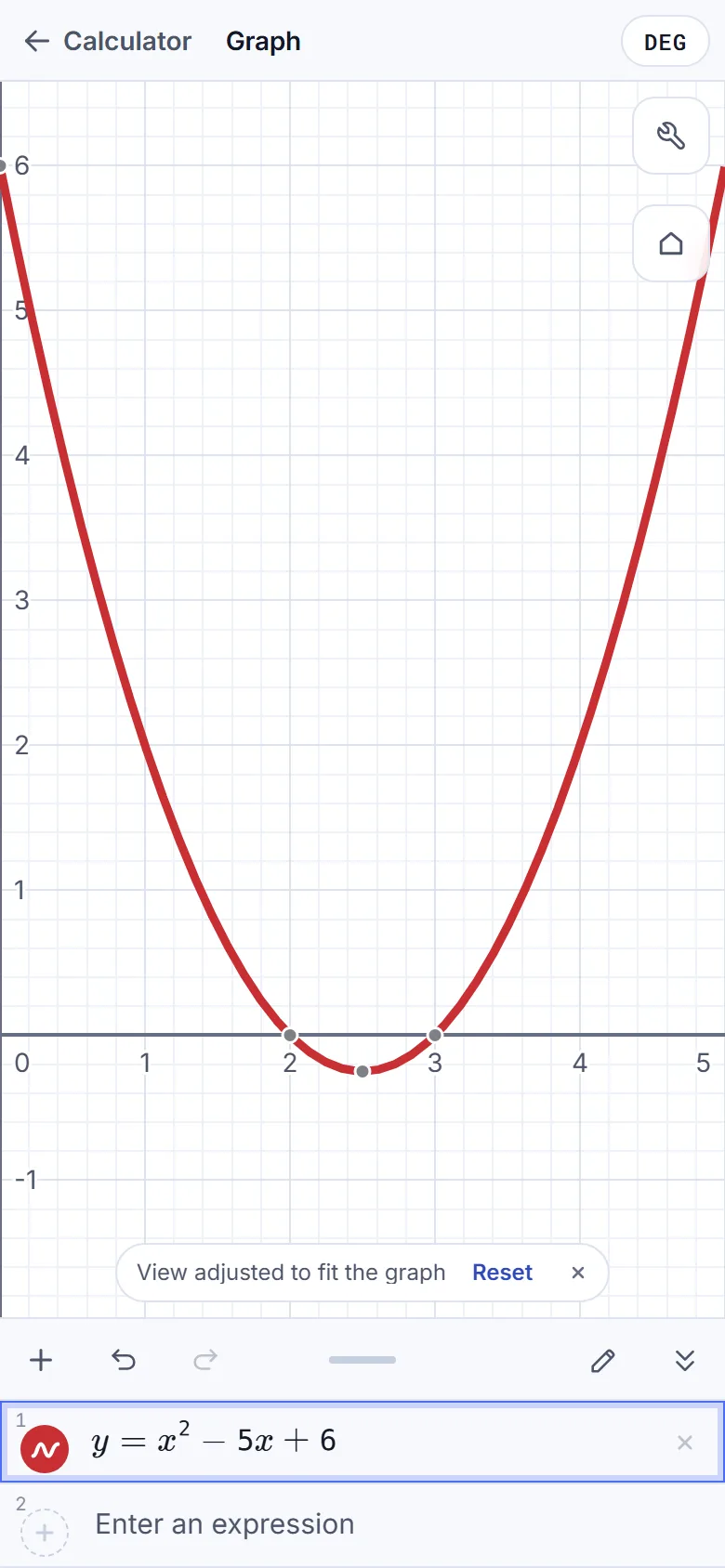
-
Step 4
Tap the grey dot at the lowest point first to show . Then tap the left and right dots on the -axis to show and .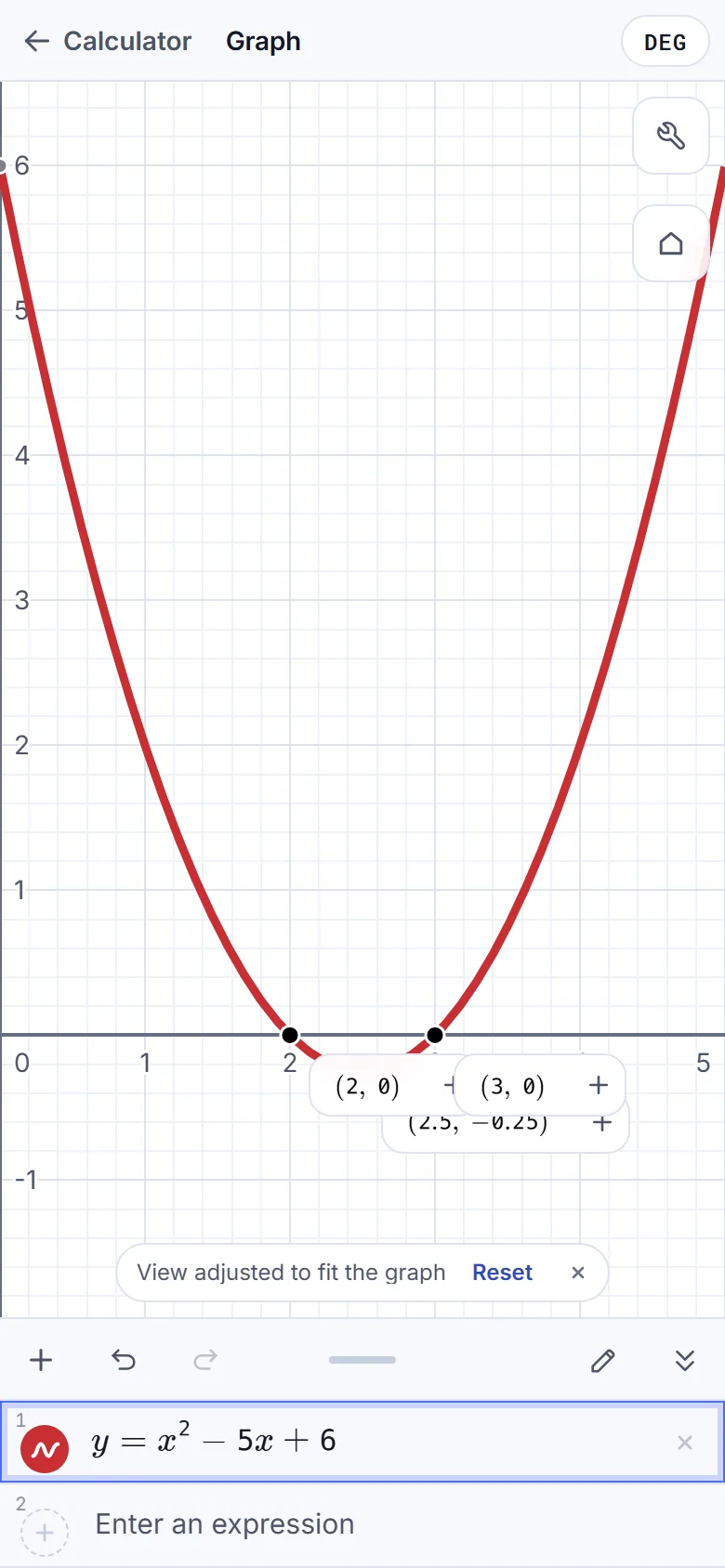
On a phone, the graph opens as a full-screen layer over the calculator; on a wide screen, it opens in the right-hand side panel.
Read and check the coordinates
The points and are the -intercepts: their -coordinates are zero, so the equation's roots are and . Check by factoring:
The vertex is . It lies halfway between the roots, and substituting gives . These decimals match the fractions on the solved-result screen:
The graph labels show coordinates only. Identify the roots by their position on the -axis and the vertex by its position at the bottom of the curve.
If a point is hard to read
- The root labels cover the vertex: tap the lowest point before either root, as in step 4. The labels stay on screen as you tap more points.
- A dot has no label: tap it; hovering does not show a label. If the dots are gone, tap the curve near the lowest point.
- The graph covers the calculator: tap Calculator at the top-left to return. The calculator is just as you left it.
Graph a quadratic and find its vertex on fx-991EX
Solve x² − 5x + 6 = 0, then open the graph and tap its lowest point and two roots.