Find a normal percentile from a probability
Find the cut-off score for the top 5% of a normal distribution using its mean and standard deviation.
Test scores follow a normal distribution with mean and standard deviation . What score marks the top ?
You know the probability and want the score : this is an inverse normal calculation, also called finding a percentile. Area is the share to the left of the cut-off. For the top , enter .
Find the cut-off score
Below each step is the screen you should see after pressing.
Next to each step is the screen you should see after pressing.
-
Step 1
Open the mode menu and tap Distribution.Press: -
Step 2
Tap the type name at the top of the screen to open the Select Type sheet.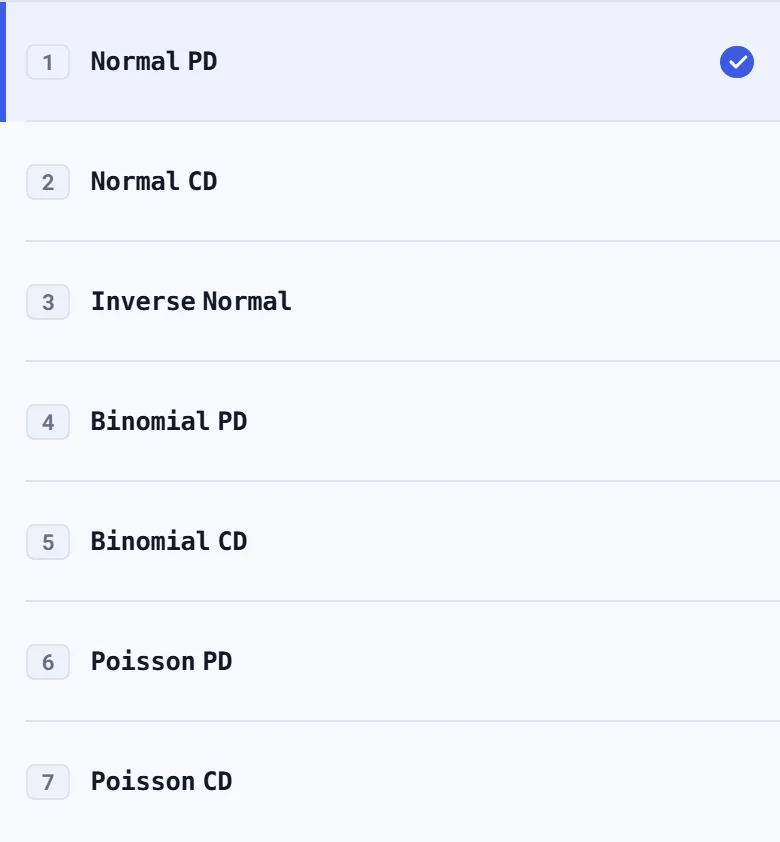
-
Step 3
Tap Inverse Normal. The Area box is selected. On a fresh visit it contains , so the screen shows xInv ; this is not an error.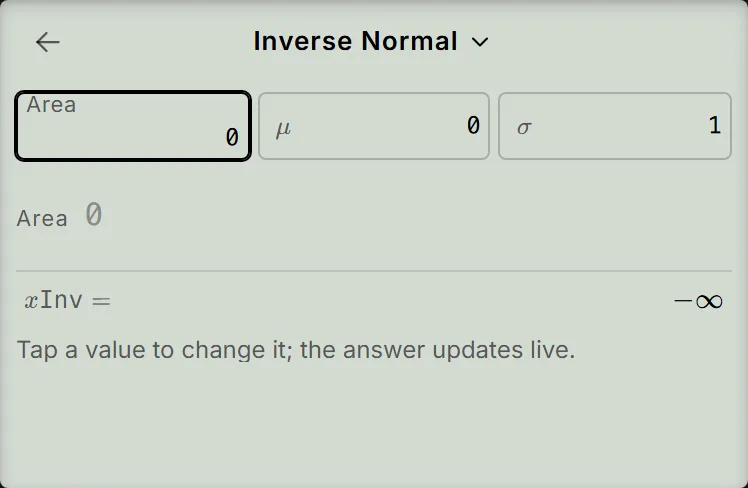
-
Step 4
Enter for Area and press the equals key. Enter for and press the equals key, then enter for . The answer changes as you type; read it after all three values are entered. The screen shows xInv , without pressing the equals key after .Press: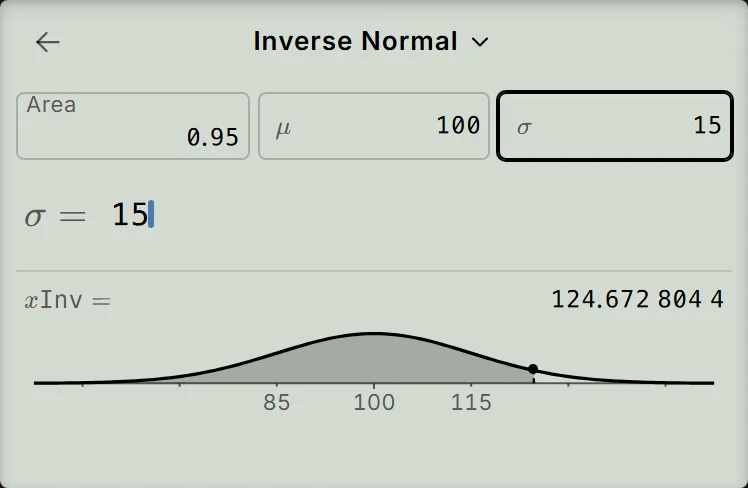
Read and check the result
The cut-off is about : of scores lie below it and above it. xInv is a score, not a probability. The curve on the screen shades the area to the left of the marked point.
As a check, the standard normal value for an area of is about . Convert it to a score using the mean and standard deviation:
The cut-off is above the mean, as you would expect for the top .
If your result is different
- The score is below the mean: check Area. Entering finds the bottom , giving about for this distribution. For the top , use .
- The screen shows infinity: Area gives , and Area gives . These are not errors; enter for this example.
- The Area box is dashed and the screen shows Argument ERROR: enter a decimal between and , not a percentage such as . Tap Area, press AC once to empty it, then enter .
- The box is dashed and the screen shows Argument ERROR: the standard deviation must be positive. Tap , press AC once, then enter .
In the steps above, typing replaces the value of the box the equals key just selected. If you tap a box instead, press AC once to empty it before typing. A second AC resets every box of this type to its defaults, so check all three values if you do that.
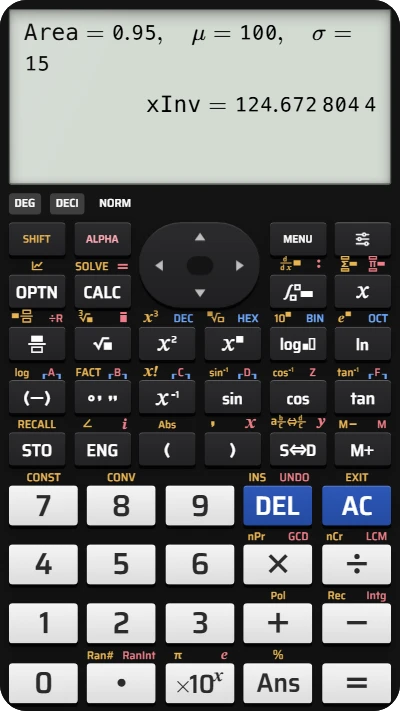
Find a normal percentile on your fx-991EX calculator
Enter Area = 0.95, mean 100 and standard deviation 15 to find the cut-off for the top 5%: about 124.67.