Fix a mistake in an earlier calculation without retyping it
Recall an earlier calculation, correct one digit, and rerun it and the calculation that used its answer.
บทความนี้ยังไม่มีฉบับภาษาไทย จึงแสดงฉบับภาษาอังกฤษทั้งบทความ
You spot a wrong number in an earlier calculation after using its answer in another one. Bring the earlier line back and change just that digit.
For example, a class trip bill includes 12 notebooks at 3.5, 15 pens at 4.2, and 30 folders at 2.8, with prices in thousand dong. Three students share the bill:
The folder price should be . Correct the bill, then rerun the share calculation with the new total.
Recall the bill, change the price, and rerun the share
Below each step is the screen you should see after pressing.
Next to each step is the screen you should see after pressing.
-
Step 1
Enter and press the equals key to get . Then divide by and press the equals key again. The new line starts with Ans, drawn as a chip holding , and gives .Press: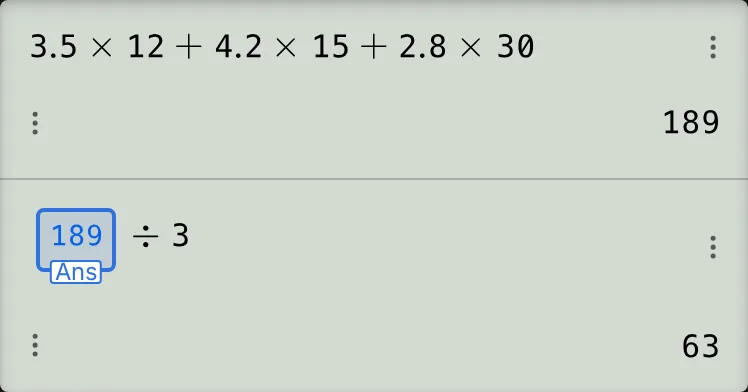
-
Step 2
Press the up cursor key once to recall the bill. Its stored result, , appears dimmed below the line.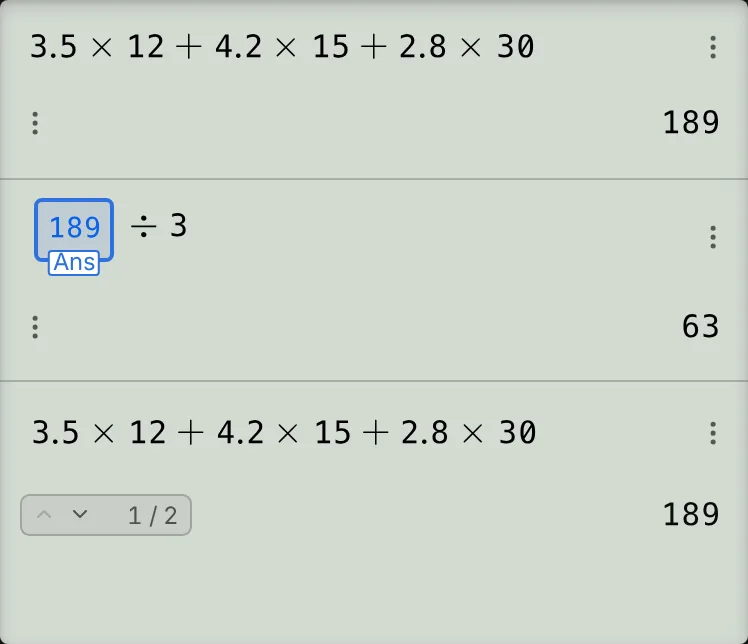
-
Step 3
Press the left cursor key four times. The first press starts editing at the end; the next three move left past the final , , and multiplication sign. The caret is now just after .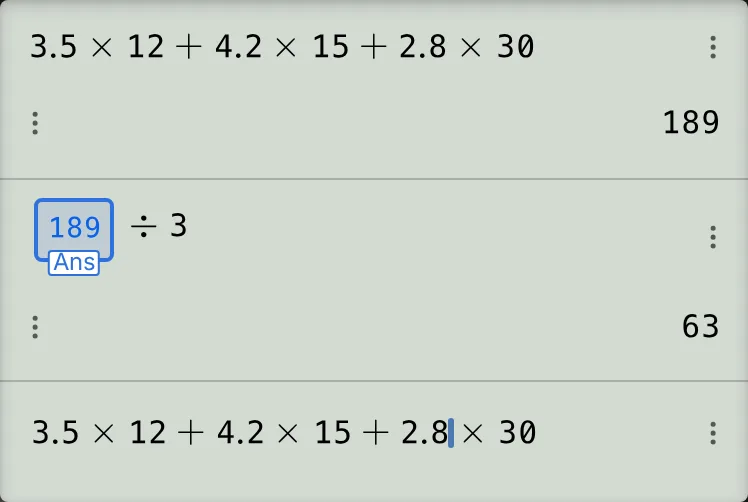
-
Step 4
Delete the with DEL, then enter . The price becomes , and the live preview shows .Press: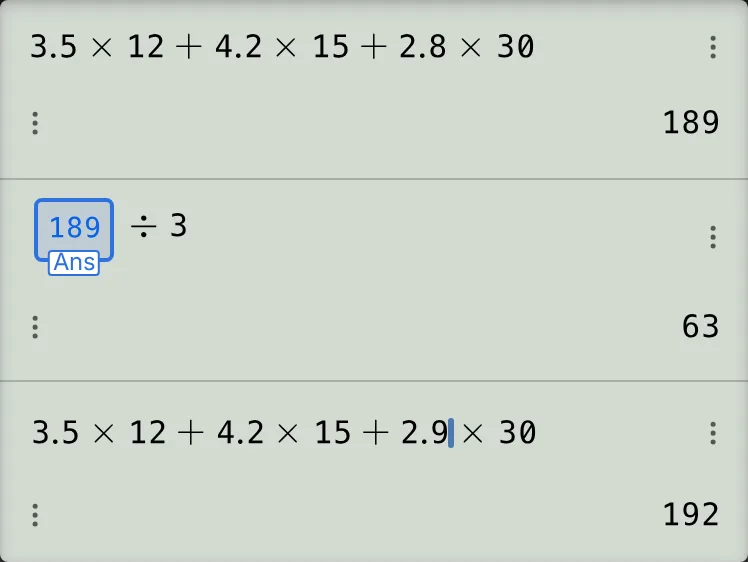
-
Step 5
Press the equals key to run the corrected bill. A new entry shows ; the original entry stays.Press: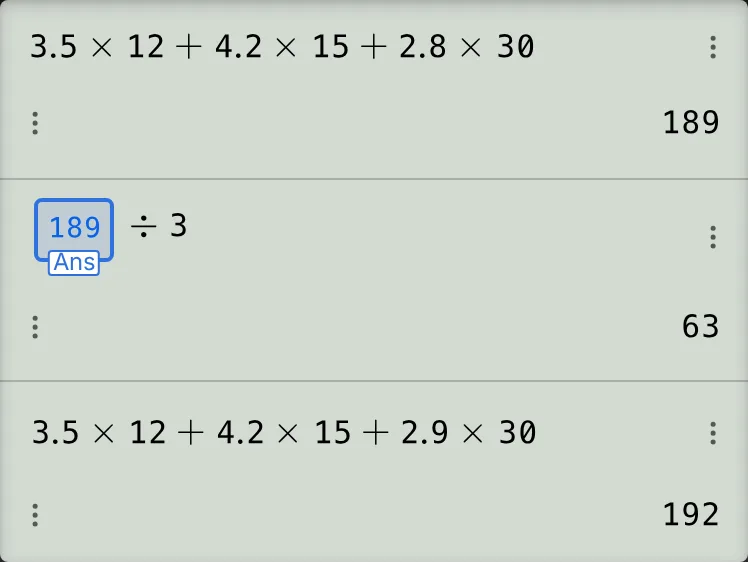
-
Step 6
Press the up cursor key once to recall , then press the equals key. It uses the corrected total, , and gives .Press: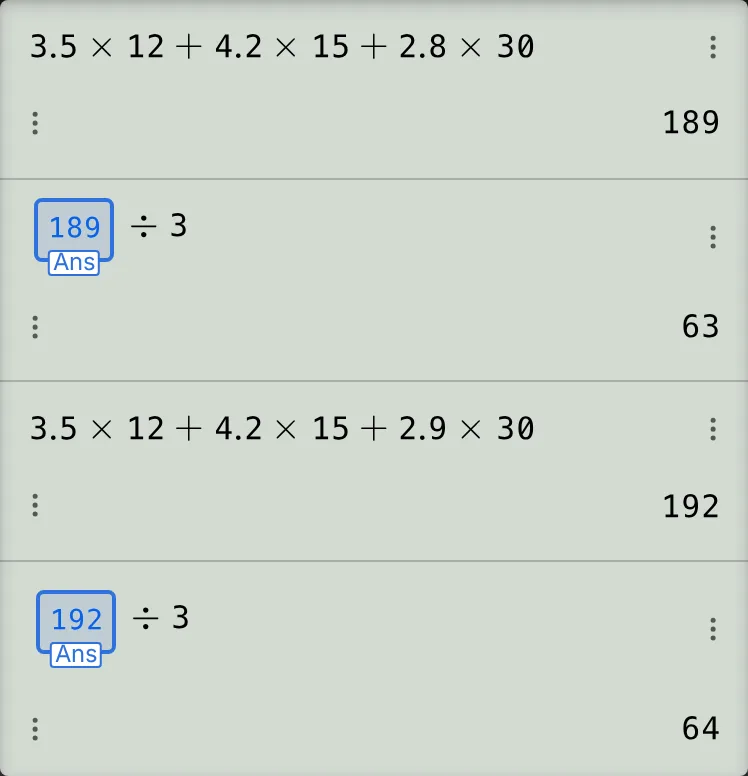
Read and check the corrected result
Check the new bill and each student's share:
When you recall the share in step 6, its Ans chip still shows , the value used for the old result of . Pressing the equals key reruns it with the current Ans, . Both old entries remain, alongside the corrected bill and share.
If something goes wrong
- Typing a digit or an operator straight after recalling starts a new line instead of editing: start editing with a cursor key before typing. If this happens just after step 2, press AC once, then the up cursor key twice: once for the share, then once for the bill.
- The up cursor key does nothing with only one calculation: from a finished answer, up recalls the entry before it. Press AC once to make the input blank, then press the up cursor key to recall the newest entry.
- The preview briefly shows 165: this is the half-edited bill after deleting . Enter to see , then press the equals key to run the corrected line.
- The earlier entries disappeared after two presses of AC: the saved history survives. Press the up cursor key to browse it; History appears beside the position count.
Fix an earlier calculation on your fx-991EX calculator
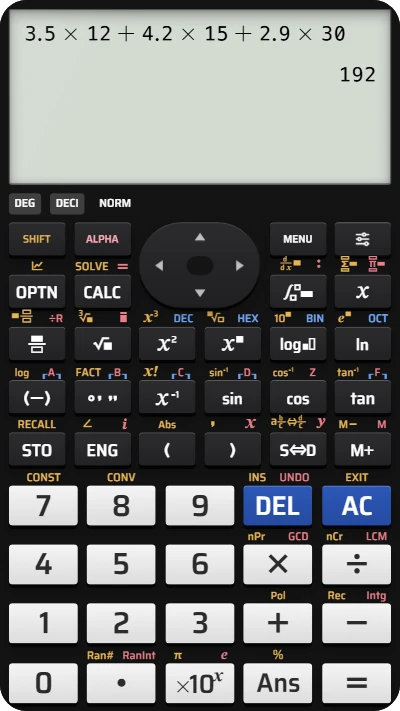
Recall the bill, change 2.8 to 2.9, and rerun it to get 192, then rerun the share to get 64.