Convert between decimal, binary and hexadecimal on a calculator
Convert 255 from decimal to binary and hexadecimal, then enter each form to check that it gives 255 again.
Dieser Artikel ist noch nicht auf Deutsch verfügbar. Du siehst die vollständige englische Fassung.
If your homework gives a number in decimal and asks for binary or hexadecimal, use Base-N to read the same value in each base. This example converts:
The subscripts name the bases: decimal is base 10, binary is base 2, and hexadecimal is base 16.
Convert 255 and check both forms
Below each step is the screen you should see after pressing.
Next to each step is the screen you should see after pressing.
-
Step 1
Open the mode menu and tap Base-N. The line is blank and Dec is selected.Press: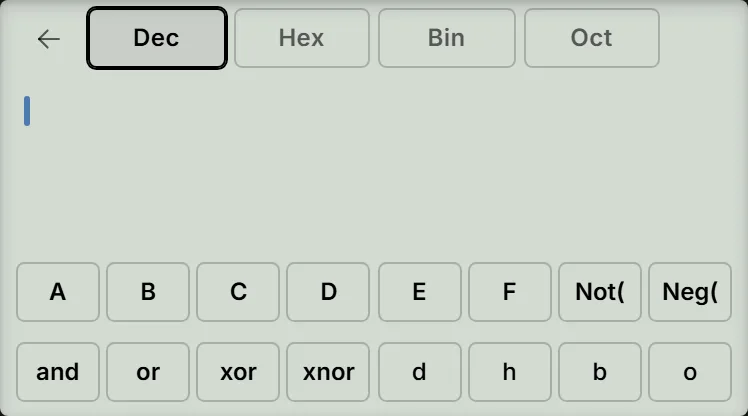
-
Step 2
Enter and press the equals key. Read Dec as , Hex as , and Bin as .Press: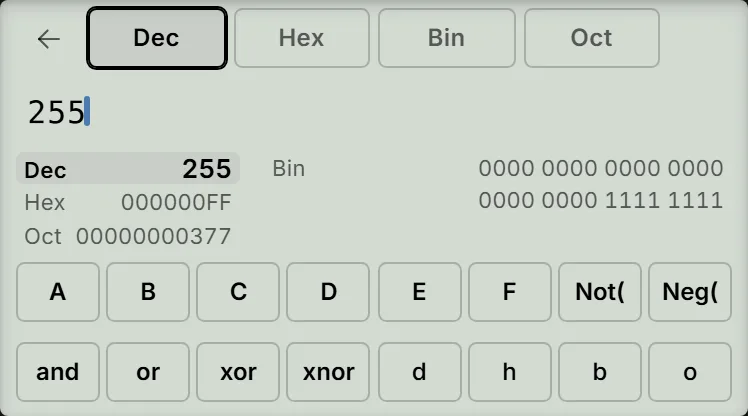
-
Step 3
Tap the Bin tab, enter eight ones (), and press the equals key. The input appears in groups of four as ; Dec shows again.Press: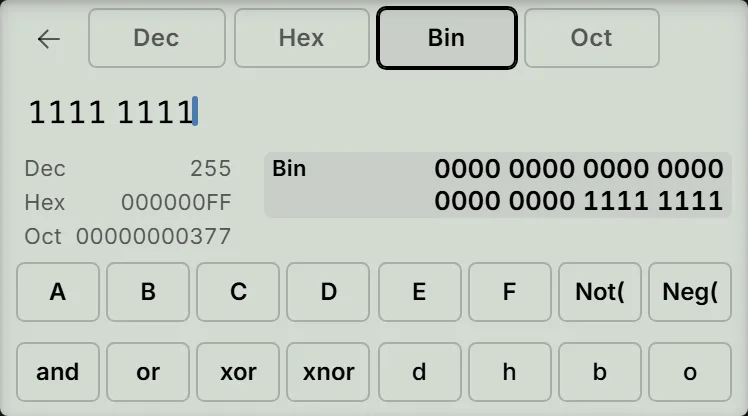
-
Step 4
Tap the Hex tab, then tap the on-screen F key twice to enter . Press the equals key. Hex shows and Dec shows .Press: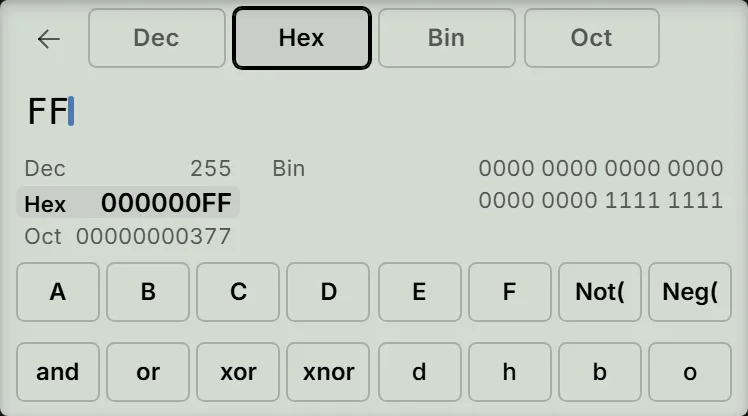
Read the result
The result panel shows all four bases together, including octal: Oct is for this example. It always uses eight hexadecimal digits, 32 binary digits and 11 octal digits. For this positive number, ignore the leading zeros: is , and the binary value is eight ones.
Tapping a base tab after pressing the equals key keeps the value and moves the highlight. The next digit starts a new line in the selected base. Steps 3 and 4 check the conversion by entering the binary and hexadecimal forms and getting decimal back.
If an entry does not work
- Syntax ERROR: check that the digits belong to the selected base. For example, typing in Bin is allowed while entering the line, but pressing the equals key reports that it is not a valid binary digit. Use only and for binary.
- The decimal point or fraction key does nothing: Base-N accepts integers only.
- Math ERROR with “Outside the 32-bit range”: the supported integer range is to .
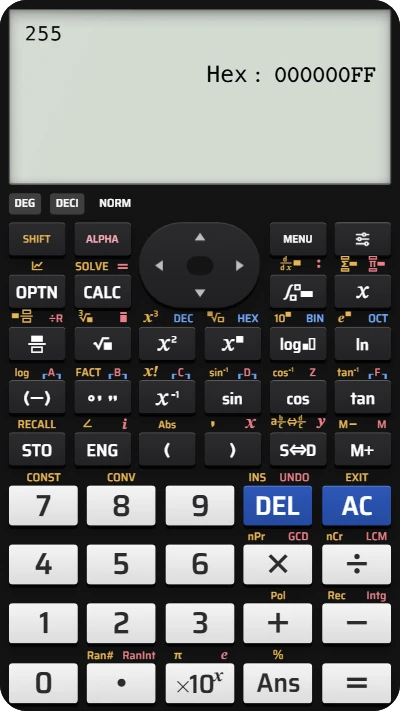
Convert decimal, binary and hexadecimal on fx-991EX
Try converting 255 in Base-N, then type its binary and hexadecimal forms to check the decimal value.