How to simulate dice rolls and coin tosses
Roll two dice 100 times, read how often each sum appears, and repeat the experiment with a coin.
Dieser Artikel ist noch nicht auf Deutsch verfügbar. Du siehst die vollständige englische Fassung.
If you roll two dice 100 times, how often will their sum be 7? Use this app's Math Box to simulate the rolls and compare the experimental result with the probability for two fair dice:
For the worked example, use two dice, 100 attempts and Same Result #1. That choice makes the run repeatable, so your table matches the example. These runs belong to this app; the same setting on a physical calculator gives different numbers.
Roll two dice 100 times
Below each step is the screen you should see after pressing.
Next to each step is the screen you should see after pressing.
-
Step 1
Open the mode menu and tap Math Box. A sheet opens with Dice Roll and Coin Toss.Press: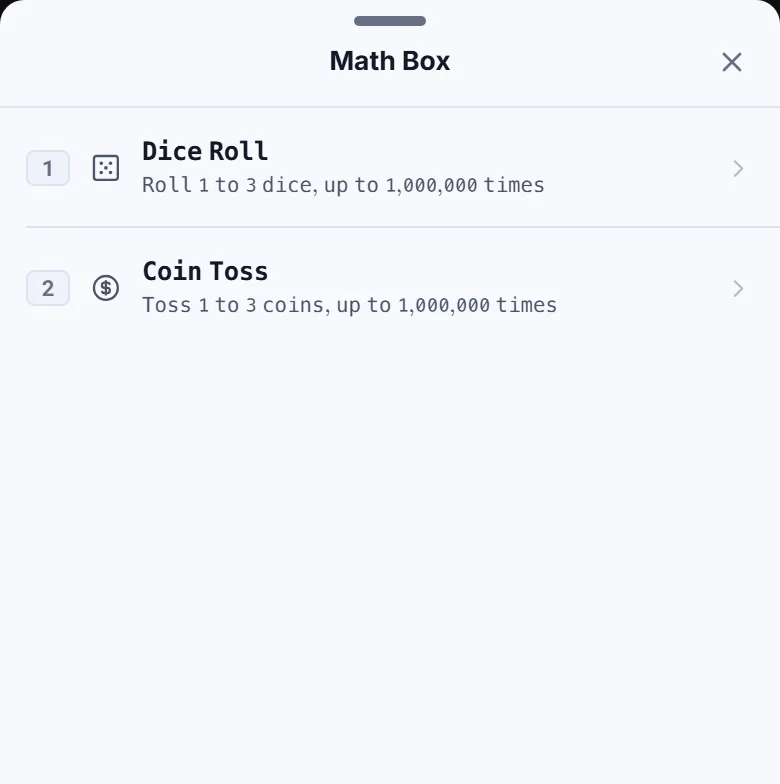
-
Step 2
Tap Dice Roll. Select under Dice, tap the Attempts field and type (the calculator keys do nothing while this sheet is open), then select #1 under Same Result.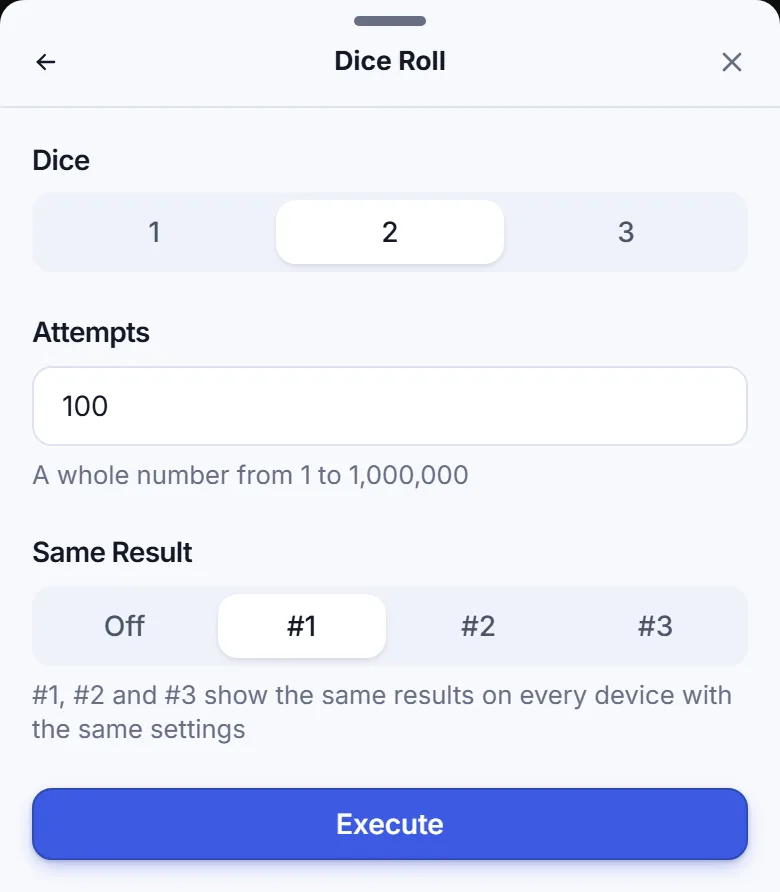
-
Step 3
Tap Execute. The Result Type screen offers List and Relative Freq.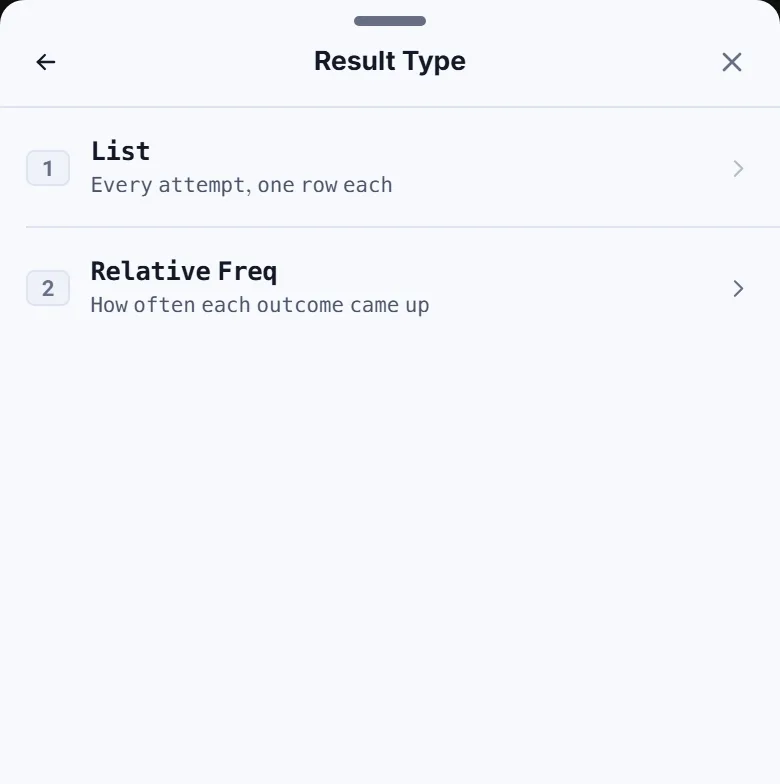
-
Step 4
Tap Relative Freq, then Sum. In the row for sum , read FREQ and REL FR .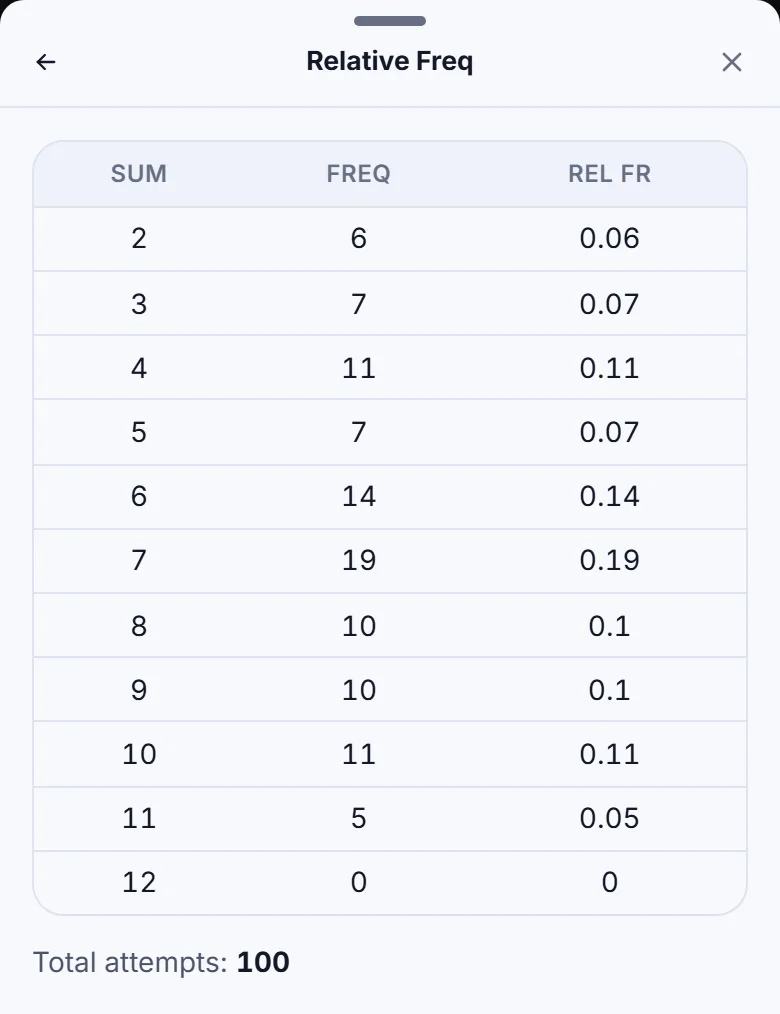
Read and check the result
SUM is the total on the two dice. FREQ counts how many attempts produced that sum, and REL FR divides that count by the number of attempts:
Here, 7 appeared in 19% of the attempts, compared with a theoretical probability of about 16.67%. A simulation need not match the theory exactly. The row for sum has frequency in this run; that does not mean rolling a total of 12 is impossible.
The Total attempts line reads . The results stay in the sheet; they do not become Ans or a calculator history entry.
Try 100 coin tosses
Tap the sheet's top-left back arrow until you reach the Math Box menu. Choose Coin Toss, select under Coins, enter for Attempts and select #1 under Same Result. Tap Execute, then Relative Freq. Coins go straight to the table without a Sum choice.
The table shows Heads with relative frequency , and Tails with relative frequency . The counts add up to 100.
If something goes wrong
- Your table differs: check the dice or coin count, Attempts and Same Result. #1 repeats the example with the same settings; Off draws a new random run each time.
- You see Range ERROR: enter a whole number from to in Attempts. Use digits, such as 100; entries such as 100.0 and 1e6 are refused.
- You need to change the settings: the sheet's top-left back arrow returns one level at a time and keeps the settings when you return to the parameter page. Changing a parameter discards the run; tap Execute to run it again.
- You want to return to the calculator: tap the sheet's close icon or press Escape.
Simulate dice rolls and coin tosses in CalcES
Repeat the two-dice experiment with 100 attempts and compare the frequency of a sum of 7 with its theoretical probability.