How to store a result in a variable and reuse it
Store an answer in a letter and use it in later calculations, even after Ans has moved on.
This article is not available in your language yet, so the English version is shown.
Need to keep an answer for later calculations? Store it in a letter. For example, a prism has base area and height . Keep the area in and use it to find the volume:
Then divide the volume by the stored area to check that the height is .
Store the area and use it again
Below each step is the screen you should see after pressing.
Next to each step is the screen you should see after pressing.
-
Step 1
Open the mode menu and tap Calculate. Enter and press the equals key. The result is .Press: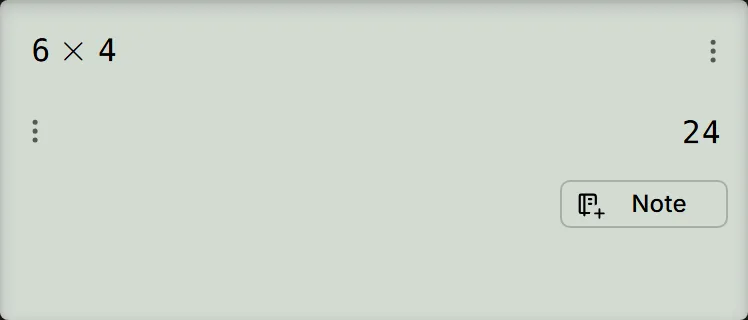
-
Step 2
Store the answer in with the keys shown. After storing, the screen shows .Press: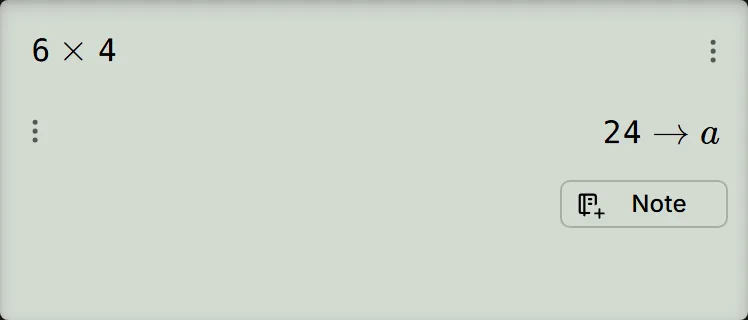
-
Step 3
Enter (the keys for are shown). The preview underneath reads ; press the equals key in the next step to get the number.Press: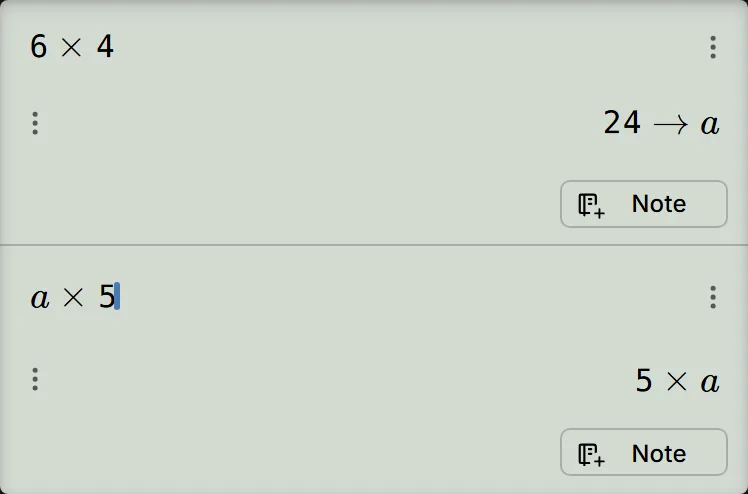
-
Step 4
Press the equals key. The result is , and still holds .Press: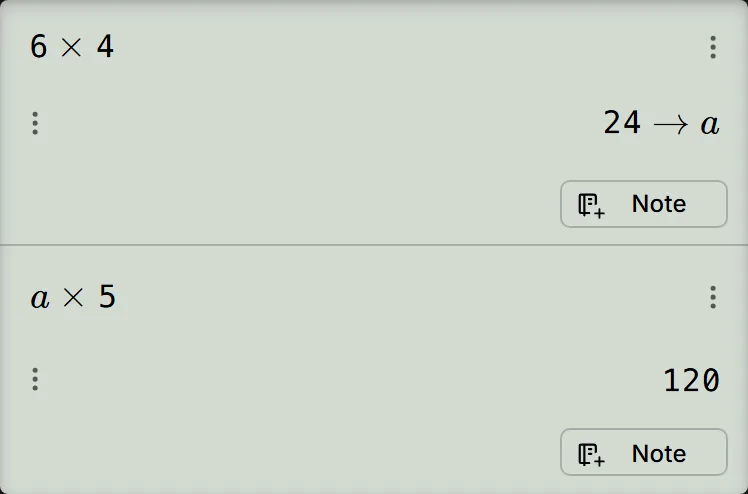
-
Step 5
Press divide, enter , then press the equals key. The calculator inserts Ans for the previous answer, so this calculates and gives .Press: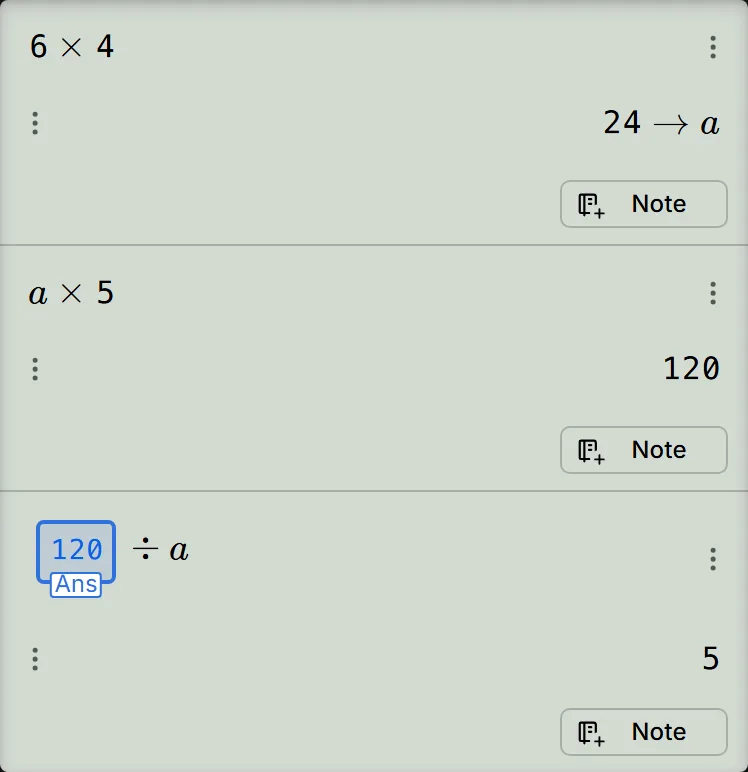
Check what the letter keeps
The screen uses lowercase , even though the key is marked A. After , Ans holds while still holds . After the division, Ans becomes and remains . The letter keeps the value until you replace or clear it.
To inspect or edit it, follow check and change a stored variable.
Add to and subtract from the memory M
Memory M is the variable on the screen. M+ and M− treat an empty as , so start with nothing stored in it; AC and reloading the page do not clear it, so to empty it first follow check and change a stored variable. The example adds two shop bills, then takes off a refund.
Adding a displayed answer to M or subtracting it from M leaves Ans unchanged. The arrow result shows the new total in .
- Enter and press . The first bill is .
- Press to add the displayed answer to M. The screen shows .
- Enter and press to get . Press to add it to M. The screen shows .
- Press to recall M. The line and preview show ; press to see .
- Enter and press . Press to subtract the refund from M. The screen shows . Press , then , to read back .
If the stored value does not appear
- The preview still contains a letter: is expected before you press the equals key. If you calculate with a letter you have never stored, the answer keeps that letter too; an unset letter is not zero. Store the value in the letter you intend to use.
- You stored in the wrong letter: store the value again in the correct one. The first letter keeps its value. Storing again in the same letter replaces its value without asking.
- Storing did nothing: after STO, press the letter's own key, without ALPHA. A blank line stores nothing; calculate the result first, then repeat the storing step (step 2 under Store the area and use it again).
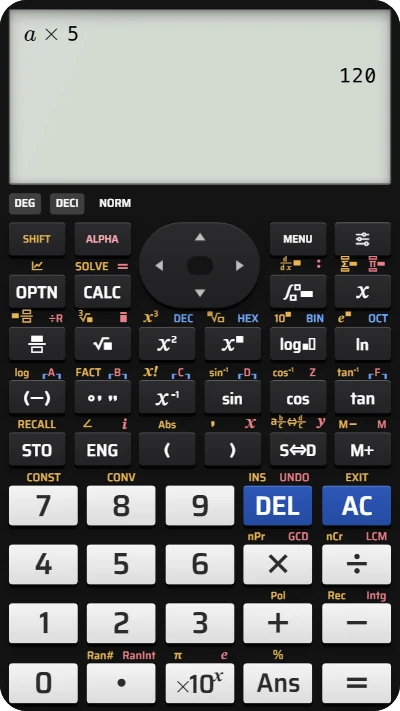
Store a result in a variable on your fx-991EX calculator
Store 24 in a, then use a × 5 to get 120 on the fx-991EX keypad.