Find a normal distribution probability
Enter two limits, a mean and a standard deviation to find the probability between the limits.
Cet article n’est pas encore disponible en français. La version anglaise complète est affichée.
Suppose scores follow a normal distribution with mean and standard deviation . You want the probability that a score is between and :
Use Normal CD in Distribution and enter the limits and distribution values in separate boxes.
Enter the limits, mean and standard deviation
Below each step is the screen you should see after pressing.
Next to each step is the screen you should see after pressing.
-
Step 1
Open the mode menu and tap Distribution. The distribution screen opens.Press: -
Step 2
Tap the current type name at the top of the screen to open the Select Type sheet.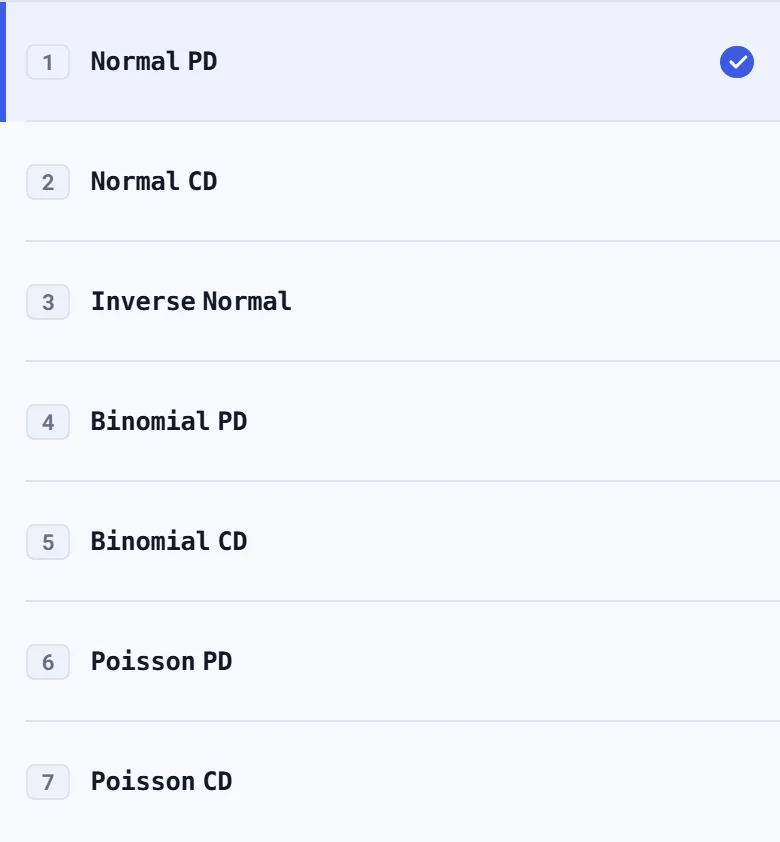
-
Step 3
Tap Normal CD. The screen shows Lower, Upper, and boxes, with Lower selected.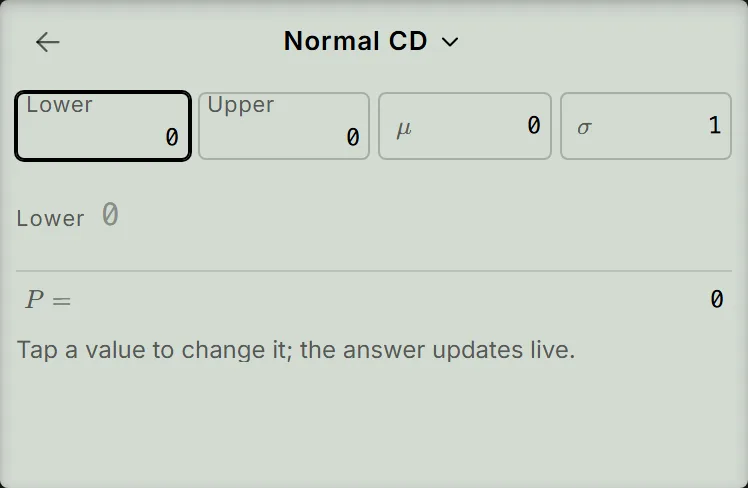
-
Step 4
Enter for Lower and press the equals key; enter for Upper and press the equals key; enter for and press the equals key; then enter for . The answer updates to without another press of the equals key.Press: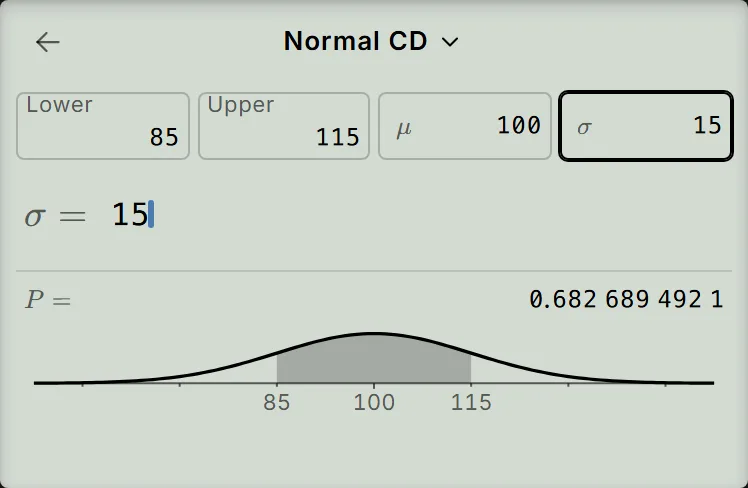
-
Step 5
Optional: to find instead, press the equals key once more to return to Lower, then enter using the keys shown. Keep Upper, and unchanged. The result becomes .Press: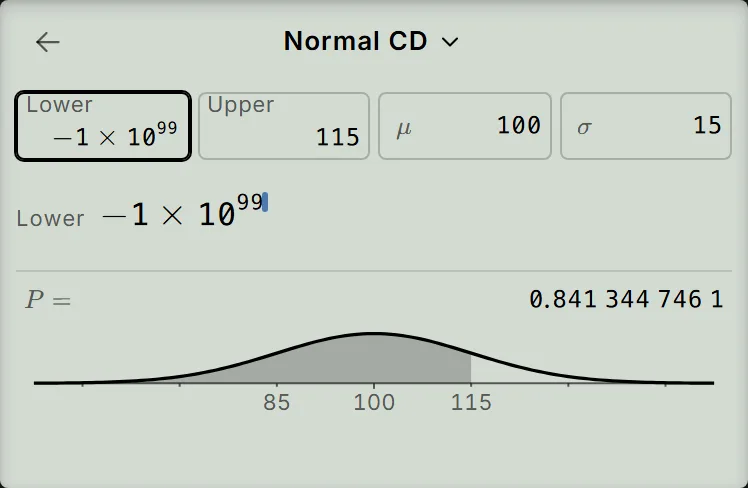
Read and check the probability
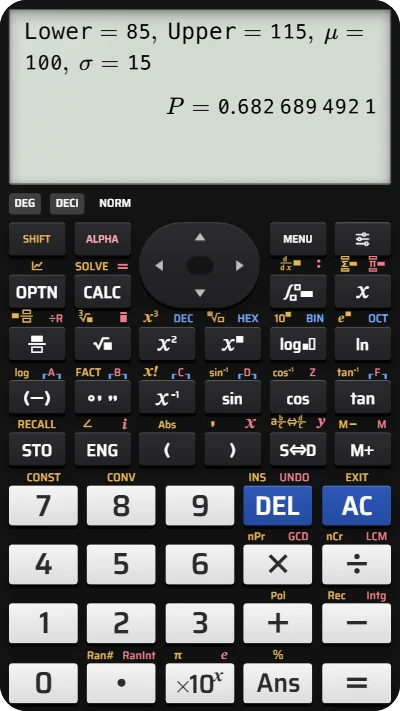
For the interval in step 4, the result is:
Both limits are one standard deviation from the mean: and . About is the expected probability for this interval. The curve on the screen shades the region between the limits.
The screen groups the digits in threes so long decimals are easier to read: is . If you continued to step 5, the new result is the probability of a score at most , about . Here acts as “no lower limit”; the box shows it as −1×₁₀99, with a small 10.
If the calculator shows an error
- Lower is larger than Upper: both boxes have dashed borders and the result shows Argument ERROR. Check the two limits and put the smaller value in Lower.
- Argument ERROR on : if is zero or negative, its box has a dashed border and the result shows Argument ERROR. Enter a positive standard deviation to bring the result back.
- A box needs correcting: tap it, press AC once to empty it, then enter the replacement. A second press of AC resets all boxes for the current type to their defaults.
Find a normal probability on your fx-991EX calculator
Use mean 100 and standard deviation 15 to find the probability between 85 and 115.