Find the roots of a cubic equation
Enter a cubic's four coefficients, read its roots, and check them by factorisation.
Cet article n’est pas encore disponible en français. La version anglaise complète est affichée.
Suppose an algebra exercise asks for the roots of:
The calculator finds the roots once you identify the four coefficients. Write the equation as : here , , , and . The coefficient boxes take numbers, not the letter . Equations of degree 4 and 5 are solved the same way, with one more box per degree; the last section shows how.
Find the roots on CalcES
Below each step is the screen you should see after pressing.
Next to each step is the screen you should see after pressing.
-
Step 1
Open the mode menu and choose Equation, then, under Polynomial, Solve polynomial equation (degree 3). The boxes run from the cubic term to the constant.Press: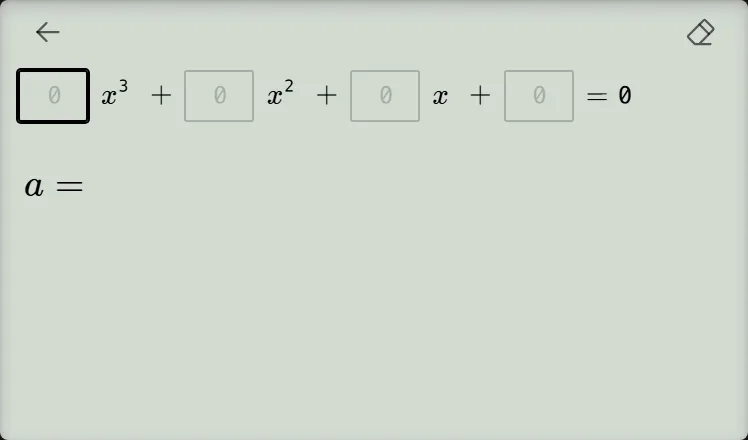
-
Step 2
Enter , , and in the first three boxes. Press the equals key after each coefficient to advance.Press: -
Step 3
Enter in box and press the equals key to solve. Read all the roots shown; their display order is not significant.Press: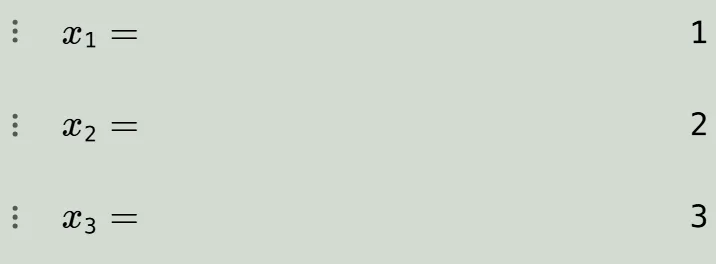
Check the answer
The roots are . Factorisation confirms why:
Each root makes one factor zero. If your course asks you to show working, use the calculator to check your answer and present the factorisation or your own algebraic method as well.
If the roots differ, check that the equation equals zero and that the four coefficients were entered in descending-power order. Unlike degree 2, the degree-3 result here does not display a turning point.
Solve quartic and quintic equations
Quartic and quintic equations work the same way: open the mode menu, choose Equation, then, under Polynomial, Solve polynomial equation (degree 4) or Solve polynomial equation (degree 5).
Degree 4 shows five coefficient boxes ( to ), and degree 5 shows six ( to ), from the highest power to the constant. The row scrolls sideways with the box you fill.
For , enter , pressing the equals key after each box; the last press solves. You can leave the two zero boxes empty. The screen shows , , , .
Degree 4 can show up to four root rows and degree 5 up to five, labelled ; their display order is not significant, and a repeated root is listed once. Complex roots appear by default using . Like degree 3, these results do not display a turning point.
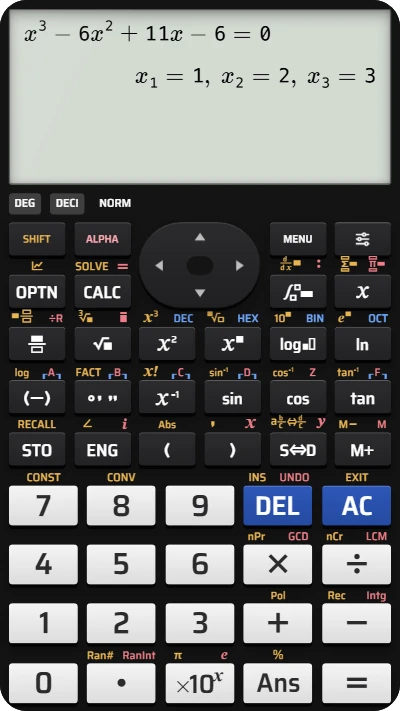
Solve a cubic equation on your fx-991EX calculator
Enter the four coefficients of x³ − 6x² + 11x − 6 = 0 and get all three roots at once — no sign-up needed.