Find the molar mass of a compound
Enter a chemical formula to find its molar mass, using calcium hydroxide as an example.
Эта статья пока не переведена на русский. Показана полная английская версия.
In CalcES, you need the molar mass of calcium hydroxide to convert between grams and moles:
CalcES adds a periodic table to the Advanced keypad (how to turn it on). Its formula field adds up the atomic weights for you, including the two O atoms and two H atoms in this formula.
Enter the formula and find its molar mass
Below each step is the screen you should see after pressing.
Next to each step is the screen you should see after pressing.
-
Step 1
Open the mode menu and tap More functions, then tap Periodic table. The table opens with H selected.Press: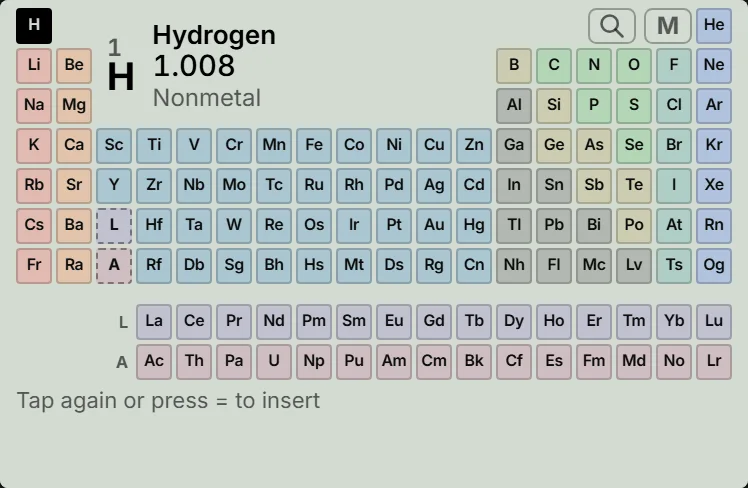
-
Step 2
Tap the small M at the top right of the table, just right of the search glass. A field opens with the placeholder Formula, e.g. H2O.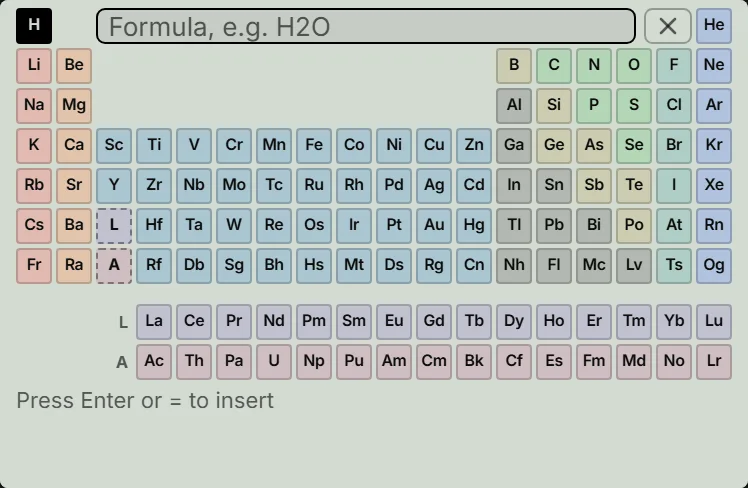
-
Step 3
TypeCa(OH)2into the field with your keyboard: capital C, lowercase a, and capital O and H. The readout updates to .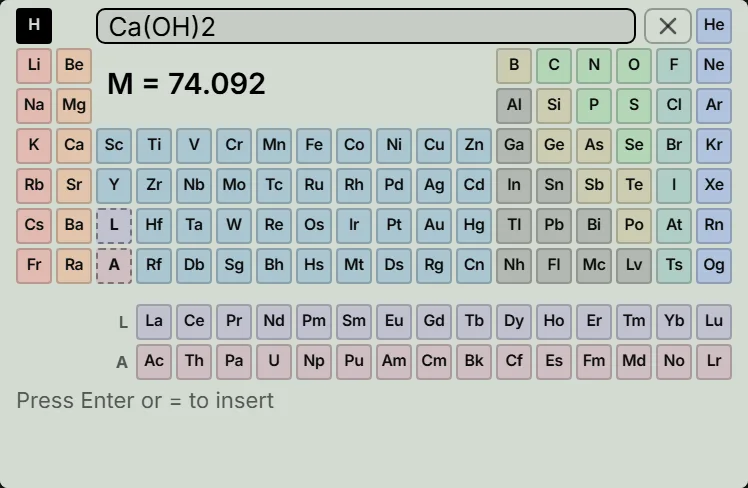
-
Step 4
Press Enter on your keyboard, or the calculator's equals key, to insert the sum. The table closes and the calculation line shows AtWt tokens, with the answer beneath it.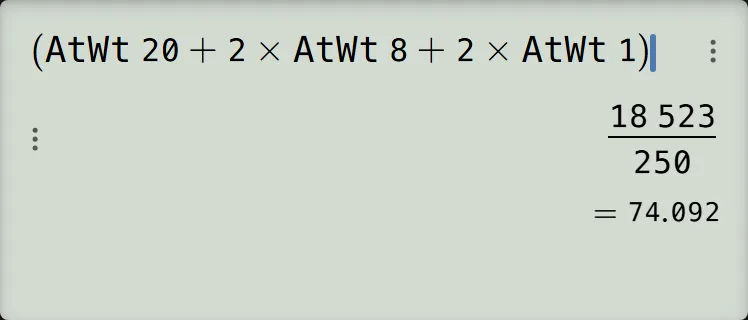
-
Step 5
Press the equals key to finish the calculation. In the default fraction format, the answer is with below it.Press: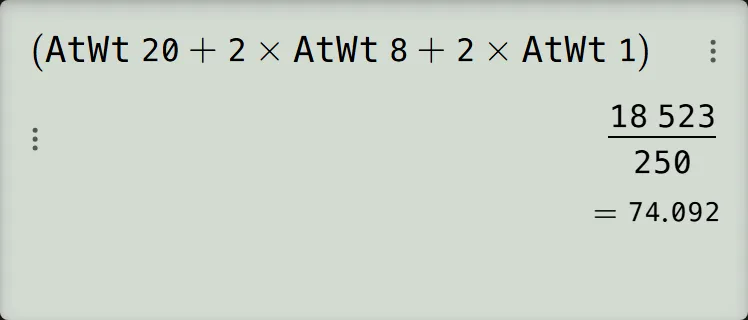
:::steps calculator.find-molar-mass for=991cex jp900
- Press the keys shown to open the periodic table. The table opens with H selected.
- Tap the small M at the top right of the table, just right of the search glass. A field opens with the placeholder Formula, e.g. H2O.
- Type
Ca(OH)2into the field with your keyboard: capital C, lowercase a, and capital O and H. The readout updates to . - Press Enter on your keyboard, or the calculator's equals key, to insert the sum. The table closes and the calculation line shows AtWt tokens, with the answer beneath it.
- Press the equals key to finish the calculation. In the default fraction format, the answer is with below it. :::
Read and check the result
The molar mass is 74.092 g/mol. The screen prints the number without a unit. Check it using the table's atomic weights:
The fraction and decimal are the same value. The inserted AtWt tokens represent the atomic weights; you do not type those tokens yourself.
To show just the decimal, press S⇔D.
If your textbook rounds Ca to , O to and H to , it gives . That difference comes from rounding the atomic weights.
If something goes wrong
- A message appears under the field: “Symbols start with a capital: H2O” means a symbol needs its capital (
Ca, notca); “Unknown element: Xx” means that symbol is not an element, so correct it; “Check the formula” means a problem such as a missing closing bracket. Edit the text in the field; nothing has been inserted yet. - The formula looks right but gives a different number: check the letter O against the digit zero.
H20means twenty H atoms and gives ; water isH2Oand gives . - The calculator's digit keys do nothing: while the table is open they are switched off, so type the formula with your keyboard.
- You want to cancel: with the formula field open, press AC once to close the field and again to close the table. Your calculation line is left as it was.
- You already inserted the wrong formula: press AC to clear the line, then open the table again. One DEL removes only the closing bracket, not the whole inserted sum.
- The table does not open, or its row is missing: the table works only on the ordinary calculation screen, where the calculator opens. In another mode such as Distribution, the ES/EX row is offered but does nothing, and the CW has no Atomic Table row. The row is also hidden when the Advanced keypad is off: turn it on.
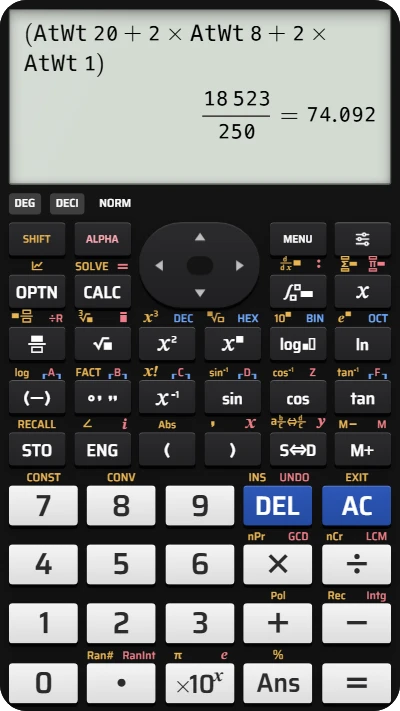
Find molar mass from a chemical formula
Try Ca(OH)2 on the fx-991EX keypad in CalcES and check the molar mass of 74.092 g/mol.